One of the tenets of successful marketing is understanding and appealing to your customer. Knowing what they want and how to provide it can be the difference between staying ahead of the game and falling behind.
One of the tenets of successful marketing is understanding and appealing to your customer. Knowing what they want and how to provide it can be the difference between staying ahead of the game and falling behind. Web analytics tools can be extremely powerful when it comes to increasing this understanding.
What are Web Analytics?
Web Analytics are the collection of online data used to understand and optimize web presence. It turns the qualitative experience of visiting a website into a quantitative snapshot of everything about your users.
Measurement – Google Analytics is the most popular measurement tool for web analytics. It’s free, powerful, and comprehensive enough for most small businesses. Popular advanced web analytics packages include Web Trends and Omniture’s SiteCatalyst. Analytics work by placing a code on your website or web presence that monitors information about users.

Collection – Once the analytics script is installed, information about users is collected. Everything from visits and traffic sources to user locations and page views are recorded, with hundreds of additional metrics that you can review.
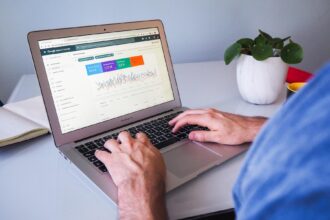
Reporting – All the information is summarized and displayed on an analytics dashboard. You can create custom dashboards to display important information in one place as well. View reports on which websites are referring traffic to your website, what search engine keywords you’re ranking, and pages users are viewing just to name a few.
How can I use Web Analytics to make better decisions?
Web Analytics help you gain a better understanding of your customers, allowing you to make changes to your web presence to improve their experience and increase leads, sales, or conversions. Analyze the value of each visitor. Segment visitors by location. Segment by traffic sources. Browse referral keywords. All the data are there to analyze your web presence and strengthen your marketing efforts.
Traffic Sources – Analytics provides insight into the value of some of your advertising media. If you are paying someone for a link to your website or sponsoring an online promotion, you can see exactly how many people were referred from their website, and what they did on the website. The same goes for paid search campaigns and banner advertisements.
Usability – Analytics also provide data for each page on your website. You can view bounce rates (the number of visitors only viewing one page) and exit rates (the number of people who leave a certain page). You can also set up a conversion funnel to see where you lose people at different points in the process. Doing this can help you find weaknesses with your website so you can improve those pages, increasing conversion rates.
Key Analytic Metrics to Monitor
There are hundreds of metrics we could discuss. But like most things, there is a need to weigh the amount of time it takes to analyze every last metric versus how useful they are for making business decisions. For most small- and medium-sized businesses, these metrics are great ones to start with to help you understand key components of your web presence.
Average Time on Site/Page – The length of time visitors spend on your website can be an indicator of the quality of the visitor coming to your website or the quality of your web presence. Are visitors engaging? Are they reading your content? The longer visitors are spending on your website, the higher quality the experience.
Bounce/Exit Rates – Analytics lets us know where people are leaving the website. Home page and contact pages naturally have higher bounce/exit rates, but if there are high rates on other pages, you might want to consider changing layouts or content to keep them engaged.
Pages/Visitor – Another indicator of visitor engagement is the number of pages each visitor views. If they are viewing too many pages with low time on sites, it’s an indicator that visitors are having trouble finding what they are looking for. Usually, however, more pages/visits indicate a higher-quality website where visitors are surfing and finding information they’re interested in reading.
Contact Form Submissions – Conversions are the reason you have a website. For e-commerce sites, the goal is sales. For most small businesses, it’s phone calls and contact forms. Using conversion tracking, we can measure contact submissions and measure the successes.
Organic Search Referrals – Search engines are the largest driver of online traffic. When you rank well organically, you’re receiving free, targeted traffic to your website. Analytics help you find out which keywords you’re ranking for, which ones are driving traffic, and how those visitors are performing when on the website.
Social Sources – The social revolution is on, and web analytics are doing their best to embrace it. Google Analytics has a section devoted to social traffic sources, so you can view and analyze the impact of your social presence and find the value they are delivering to your website.
Conclusion
Remember, Google Analytics takes only a few minutes to install and is completely free. Even if you don’t think it’s something you’ll use in the short-term, you may decide to use it later – or hire a professional (trust me, they’ll appreciate it). Having those additional data are only going to help.