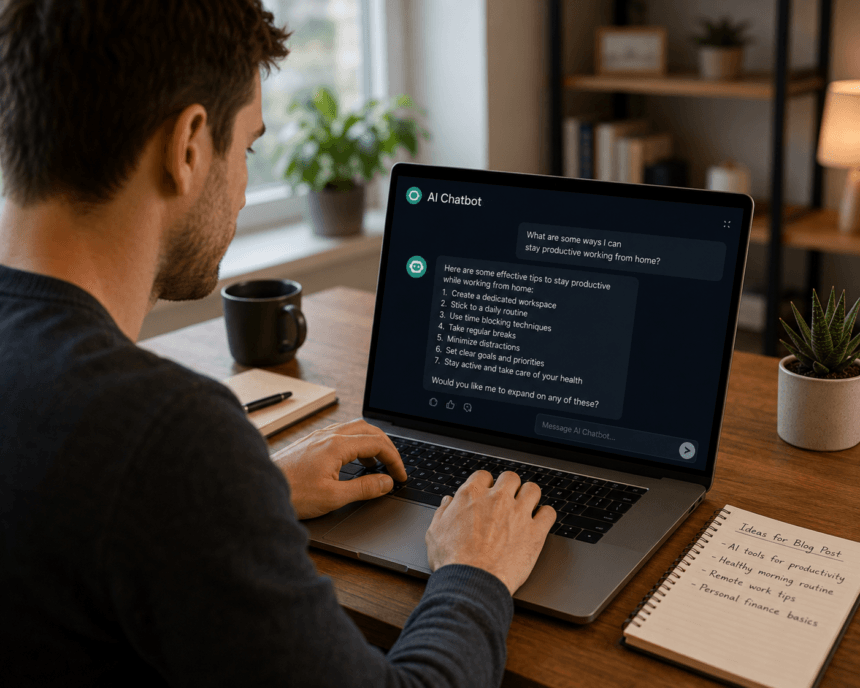
One of the things that we like to blog about on Smart Data Collective is how AI tools can help companies improve customer support and bring in better leads. It is easy to see why website chatbots are getting more attention as customers expect fast answers before they decide whether to call, buy, or fill out a form.
- AI Chatbots Are Changing How Companies Serve Customers
- What On-Site AI Chat Is (and What It Is Not)
- How to Choose an On-Site AI Chat Tool
- Where It Helps Customer Support
- Where It Helps Lead Generation
- How It Works in Plain Language
- Setup Checklist to Launch Quickly
- Conclusion
- FAQs
- Can on-site AI chat work for small support teams? Yes. Smaller teams often benefit because the assistant can handle repetitive questions that would otherwise take up a large part of the day. Even a small support team can save time by letting chat answer order status checks, business hours, return policies, and basic how-to questions.
- How do I stop the assistant from giving wrong answers? Ground its responses in a curated set of approved content, such as help docs, FAQ pages, product pages, and policy pages. Turn on source citations when available, set a low-confidence fallback, and review transcripts regularly so you can fix gaps in the knowledge base.
- What content should I feed it first? Start with your most-visited pages, your help center or FAQ, and any product or pricing pages that generate frequent questions. A small, high-quality knowledge base is usually better than a large, messy one. Expand it after you review chat logs and identify recurring gaps.
- How soon should I expect measurable results? You can usually see early operational signals within a few weeks, such as faster first responses and fewer repetitive tickets. Lead quality and resolution-rate improvements often take longer because they depend on tuning prompts, triggers, routing rules, and knowledge sources.
Pew Research states, “About half of U.S. adults now report using AI chatbots, up substantially from the summer of 2024. This includes roughly one-in-four who use these tools on daily basis.” Keep reading to learn more.
AI Chatbots Are Changing How Companies Serve Customers
A recent Reddit post states that 28% of U.S. teens say they use AI chatbots daily. Something that makes this trend important for businesses is that younger audiences are becoming more comfortable asking chatbots for help, ideas, and product details. Another thing companies should recognize is that this habit can carry over into how people expect websites to answer questions in real time.
AI website chatbots can help customer support teams answer common questions, route visitors to the right person, and collect lead details when staff members are busy. There are many ways these tools can help businesses turn casual website visitors into sales contacts without making people wait for a reply. It is also useful that chatbots can give prospects clear next steps, such as booking a call, requesting a quote, or finding the right product page. Companies that use them well can give visitors a better experience while helping sales teams focus on the leads that are most ready to move forward.
Visitors often need answers at inconvenient times. They may land on your pricing page after hours, scan help docs on the weekend, or leave a product page because they cannot find a clear answer fast enough.
At the same time, support teams spend hours on repetitive questions, and sales teams can miss good prospects when no one is available to respond. On-site AI chat can help with both problems when it is grounded in accurate content, paired with clear handoff rules, and measured against the right goals. This guide explains how it works and how to use it without turning the chat widget into another source of noise.
What On-Site AI Chat Is (and What It Is Not)
Think of on-site AI chat as a helpful assistant embedded on your website. It reads your public pages, help docs, product information, and other approved content, then uses that information to answer visitor questions in a conversational format.
It is not a replacement for your human team. When a question gets complex, sensitive, or outside its knowledge, a well-built assistant should say so and route the visitor to a real person. The goal is to handle predictable questions so your team can focus on the conversations that need judgment, empathy, or account-specific context.
How to Choose an On-Site AI Chat Tool
When you compare options, use these criteria as a practical buying checklist.
- Easy install: Can you add it to your site without a complex development project?
- Content-grounded answers: Does it pull from your site and docs, with optional source citations?
- Custom branding: Can you match the chat widget to your brand colors and voice?
- Lead capture: Does it include forms or contact collection at the right point in the conversation?
- Analytics and chat history: Can you review transcripts, track KPIs, and export data?
- Team handoff: Does it route to a human when needed, with context attached?
- Data controls: Can you manage what is stored, who can access it, and how long it is kept?
If you are evaluating tools in this category, Denser.ai offers a website chatbot with content-grounded answers, optional source citations, customizable branding, lead capture, analytics, and full chat history. Treat it as one option to compare with tools that fit your site, support workflow, CRM, and data requirements.
Where It Helps Customer Support
Most support teams answer the same questions every day. On-site AI chat is useful for that first layer of work, especially when the answer already exists somewhere on your site.
Quick Answers 24/7
Order status checks, store hours, return policies, and basic troubleshooting do not always need a human, but they do need a fast answer. An always-on assistant can respond immediately, including on weekends and holidays, as long as the answer is available in your approved content.
Consistent, Source-Backed Replies
When the assistant pulls answers from a controlled knowledge set, visitors get more consistent information. That reduces stale policy details, one-off replies, and well-meaning but incorrect paraphrasing. If the tool can show a citation that points back to the source page, visitors can verify the answer for themselves.
Smarter Triage and Routing
Not every conversation should stay with the bot. A good setup detects when a question is too complex, when confidence is low, or when the visitor seems frustrated. It can then pass the chat to the right agent with context already attached, which reduces cold transfers and helps people avoid repeating themselves.
For a broader look at how service teams are using automation, SmartData Collective has covered practical ways AI is reshaping customer interactions.
Where It Helps Lead Generation
Support is only half the picture. The same chat assistant can also qualify visitors and capture contact details, especially outside business hours.
Qualify in the Chat
Instead of showing a static form right away, the assistant can ask a few short questions about company size, use case, timeline, and budget range. These basic account and needs-based questions help you separate casual browsers from stronger prospects before a sales rep gets involved. For practical, related examples, these chatbot conversion tactics show how chat can support prospects without pushing too hard.
Offers That Match Intent
A visitor reading a comparison page probably needs different help than someone browsing a blog post. The assistant can suggest a relevant guide, calculator, product page, or demo booking based on the page the visitor is viewing and the question they ask.
After-Hours Capture Without Friction
When your team is offline, the assistant can still answer questions, collect an email address, and, if connected to your calendar, help book a meeting. That gives interested visitors a next step without forcing them to wait until the next business day.
To measure this impact, track your qualified lead rate from chat: divide qualified leads captured through chat by total chat leads over the same period. Review it monthly, then adjust prompts, triggers, and handoff rules based on which conversations turn into real opportunities.
How It Works in Plain Language
Here is the basic loop, without unnecessary jargon.
- A visitor types a question.
- The system identifies the intent, meaning what the visitor is trying to do.
- It searches your approved pages, help articles, and product content for relevant information.
- It generates a conversational answer and, when possible, shows the source so the visitor can verify it.
- If confidence is low, it says something like “I am not sure, let me connect you with someone who can help.”
- Along the way, it can capture contact details or route the visitor to a human agent.
- Conversations are logged according to your data retention rules so your team can review and improve the experience.
This retrieval-based approach, often called retrieval-augmented generation, helps keep answers tied to your actual content instead of allowing the assistant to guess. Source citations and low-confidence fallbacks are two of the most important trust builders you can add. For related background on visitor behavior, search context, and the customer journey, see how chatbots improve engagement across a site.
Setup Checklist to Launch Quickly
- Choose your top five high-volume intents, split between support and sales.
- Build a small, trusted knowledge set from your best pages, FAQs, and help docs.
- Write voice guidelines so the assistant sounds clear, helpful, and consistent with your brand.
- Configure triggers, such as time on page, exit intent, or a pricing page visit.
- Define escalation rules and a clear handoff path to a human.
- Add a plain consent notice for data collection and consult your legal team on specifics.
- Test with real questions and review chat history weekly to catch gaps.
Conclusion
You do not need a massive overhaul to start learning from on-site AI chat. Pick a handful of high-volume intents, build a small knowledge base, set guardrails, and launch a pilot. Measure weekly. Adjust prompts and triggers based on real conversations. Teams that treat chat as an iterative project, not a one-time install, are more likely to see steady gains in support efficiency and lead quality.