I remember sitting in a windowless conference room late one Thursday evening, the whiteboard buried under messy architecture diagrams. That night captured the whole problem with cloud migration in a nutshell. The push toward digital transformation makes the cloud feel like the finish line for every piece of tech a business owns. Easy to get swept up in that momentum. Easy to assume migrating everything is the obvious path. Leaders hear about infinite scalability and lower maintenance costs. They watch competitors make the leap and feel the pressure to follow. But is a mass migration really the silver bullet everyone claims?
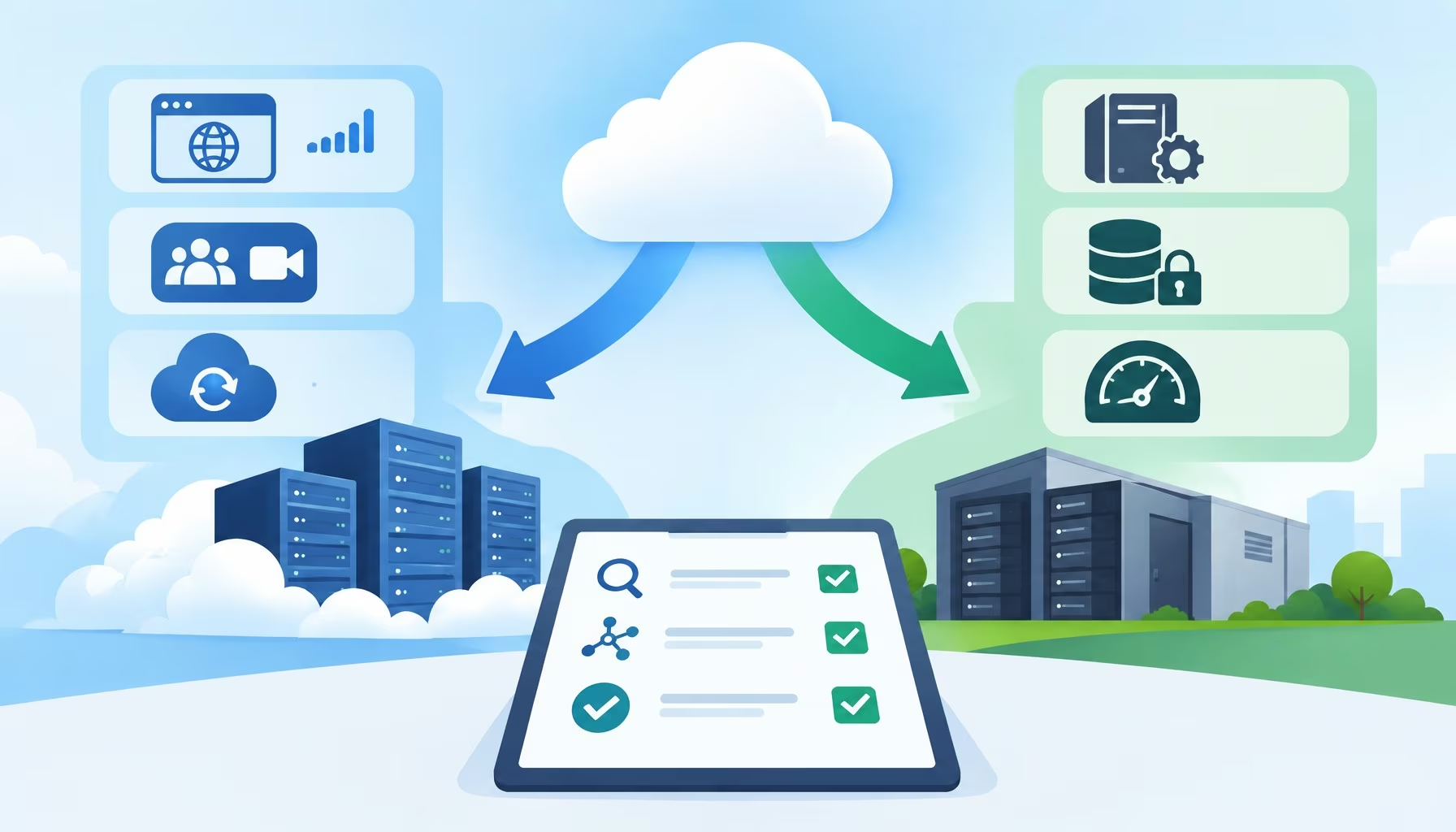
Variable-traffic web applications, remote collaboration tools, and offsite disaster recovery are prime cloud migration workloads. Legacy monoliths with hardware dependencies, regulated datasets, and latency-sensitive computing often fit better on-premises or in a hybrid cloud model. Conduct a cloud readiness assessment and application dependency mapping before testing non-critical workloads first.
Honestly, the reality is far more nuanced. Moving your systems isn’t a universal fix for every technical challenge. Some systems thrive in a decentralized environment. Others lose efficiency and turn into costly burdens.
Understanding the difference is the true foundation of a smart technology strategy. Selecting cloud migration workloads starts with a cloud readiness assessment that maps application architecture, data gravity, compliance boundaries, and user latency thresholds.
- Application dependency mapping: Trace authentication databases, shared caches, and storage locations before choosing which cloud migration workloads move first.
- Elastic cloud candidates: Prioritize variable-traffic web apps, distributed collaboration tools, and geo-redundant backup and recovery.
- On-premises or hybrid retention: Evaluate legacy software, regulated records, and high-throughput computing to prevent cloud repatriation and surprise egress fees.
- Phased pilot validation: Test non-critical workloads in phases and reconcile actual compute, storage, and transfer bills before full cutover.
Assessing Your Current Infrastructure
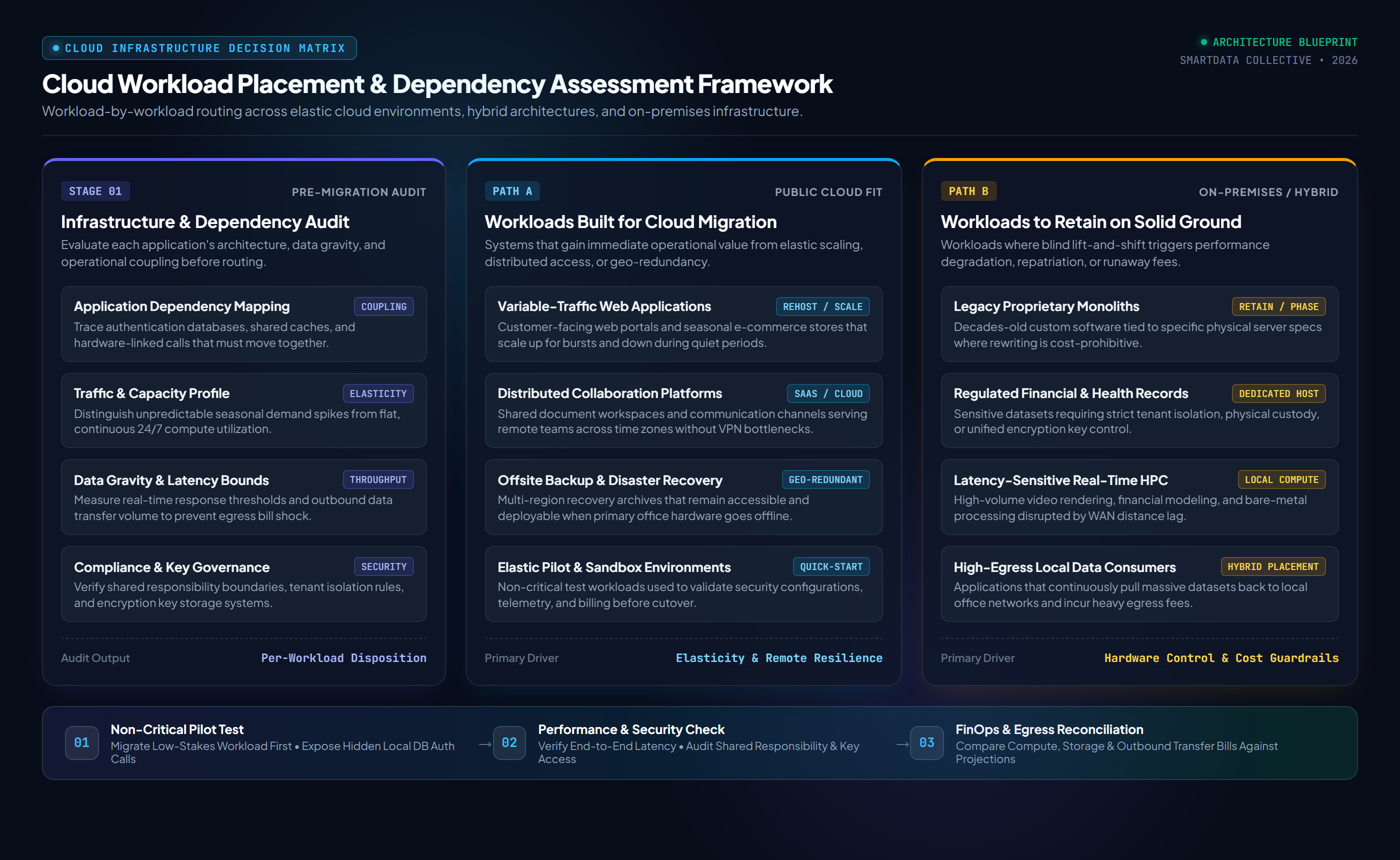
Before moving a single file or application, you need a thorough cloud migration assessment of your existing environment. Know exactly how your systems interact and where your data actually lives. Many organizations rush this phase. They end up untangling complex dependencies after the migration has already started, usually while staring at error logs at two in the morning. That always leads to unexpected downtime and inflated budgets. Evaluate the architecture of each workload independently. Some applications were built decades ago and rely on specific hardware configurations that cannot be easily replicated virtually. Others are heavily customized, and moving them requires a complete rebuild.
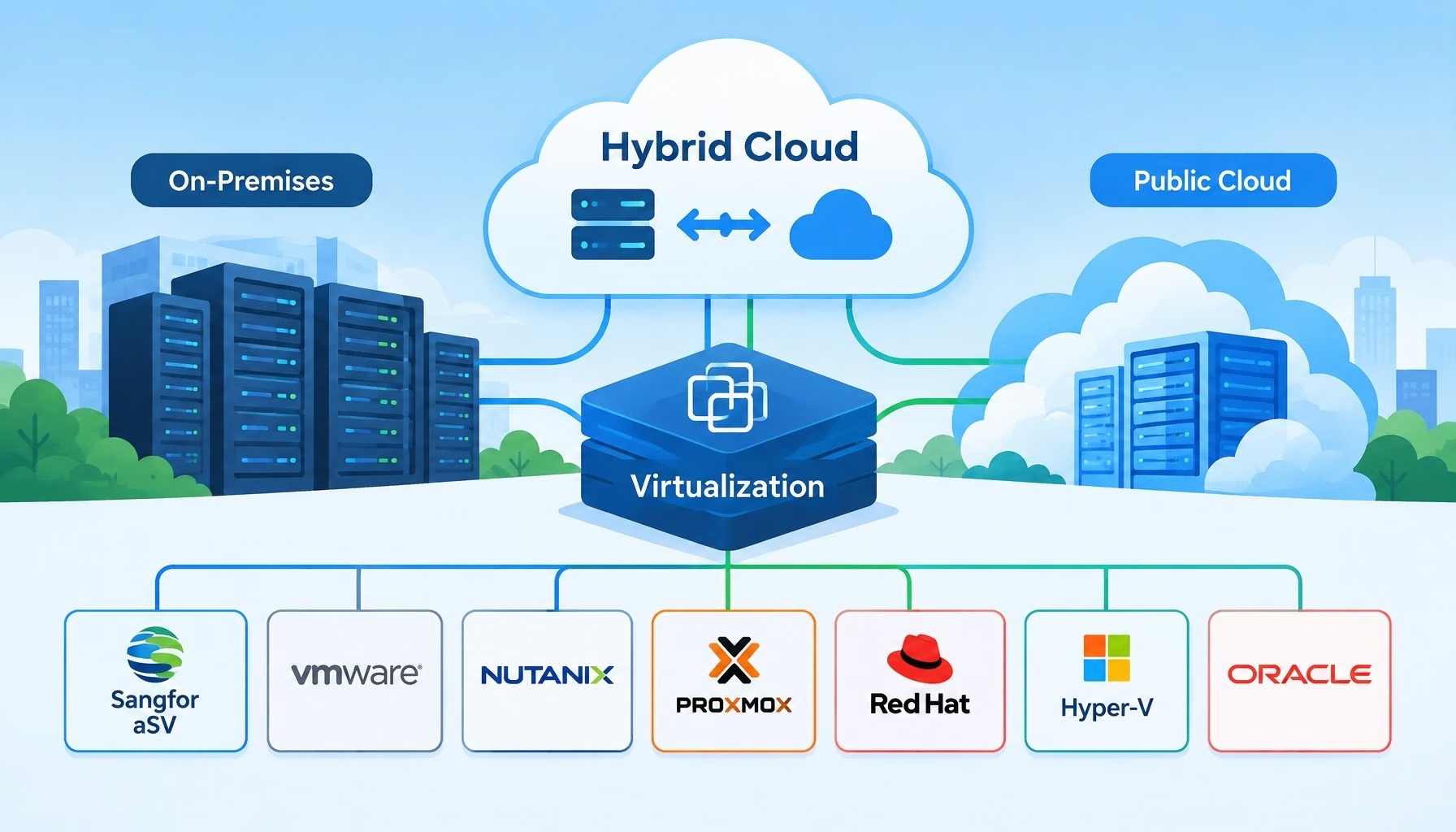
Performing application dependency mapping saves countless hours of troubleshooting later. It helps you identify which parts of your infrastructure are agile enough for a controlled transition. And it clearly shows you which ones require more careful planning. For organizations dealing with intricate legacy systems and complex data requirements, an outside perspective is often a wise choice. Using hybrid cloud consulting services can help you build a roadmap that aligns with your specific operational needs. That level of expert planning keeps your migration deliberate and measured, avoiding a rushed and chaotic move.
Workloads That Are Perfect for Migration
Certain applications are practically begging to be moved off your local servers. Anything that experiences unpredictable spikes in traffic is a prime candidate when migrating workloads to the cloud. Think customer-facing web applications or seasonal e-commerce platforms. Keeping these on local servers means paying for maximum capacity all year round just to handle a few weeks of heavy traffic. Does that really make financial sense? The cloud lets you scale resources up when demand is high and scale them back down when things are quiet. That elasticity is one of the most significant advantages of a decentralized infrastructure.
Collaboration tools and communication platforms also belong in this new environment. The modern workforce is increasingly remote and distributed across different time zones. Employees need reliable access to shared documents and communication channels from any location. Hosting these tools locally creates bottlenecks. It also introduces security vulnerabilities when users try to connect from outside the corporate network. Decentralized environments are designed specifically to handle distributed access securely and efficiently.
Data backup and disaster recovery systems are another excellent fit. Relying on physical tapes or local secondary servers introduces a massive risk. If a natural disaster or hardware failure hits your primary facility, you could lose everything. Remote storage provides geographic redundancy when your backup configuration places copies in separate locations. If your main office goes offline, those offsite backups remain accessible and ready to deploy. That is exactly what brings peace of mind.

Workloads That Should Stay on Solid Ground
Despite the undeniable benefits of migration, some workloads should remain exactly where they are. Legacy systems are the most common example. Many mature businesses rely on proprietary software that was custom-built long before modern virtual environments even existed.
But what happens when you try to force old code into new infrastructure?
Attempting a blind lift and shift cloud migration for these systems often results in poor performance and unexpected outages. Rewriting them is often incredibly expensive and time-consuming. Flexential’s migration risk analysis notes that forcing legacy workloads into an unsuitable environment leads to performance degradation, regulatory friction, and costly cloud repatriation. In many cases, it makes more business sense to keep them running locally until they can be naturally phased out and replaced.
Cloud’s great for quick-starts, certain answers, quickly spinning up applications, testing, and learning.
Jon Collins, VP of Engagement at GigaOm, in IT ProHighly sensitive data also requires careful consideration. Financial records and personal health information are subject to strict regulatory compliance standards. While major providers offer strong security controls, the shared responsibility model means you are still accountable for how that data is configured and accessed. Dedicated hardware or local hosting may be required where compliance rules restrict multi-tenant placement, especially since 47% of enterprises rely on fragmented key storage systems across hybrid environments. Keeping this sensitive information on local servers gives you direct control over physical and digital security protocols.
High-performance computing workloads with massive data requirements can also struggle after migration. Applications that process huge volumes of data in real time, like advanced video rendering or complex financial modeling, require incredibly low latency. The physical distance between your office and the remote servers can introduce lag that disrupts these time-sensitive processes. And the cost of transferring massive amounts of data back and forth can quickly become astronomical due to egress fees.
Cloud workload placement comparison
| Workload Category | Recommended Placement | Primary Architectural Driver |
|---|---|---|
| Variable-traffic web applications | Public Cloud (Rehost / Auto-Scale) | Elastic capacity that scales up and down with seasonal demand |
| Collaboration and communication | Public Cloud / SaaS | Distributed remote access across time zones without VPN bottlenecks |
| Backup and disaster recovery | Public Cloud or Hybrid | Geo-redundant offsite copies accessible during a facility outage |
| Legacy proprietary monoliths | Retain On-Premises | Tightly coupled hardware dependencies and high refactoring costs |
| Regulated financial and health data | On-Premises or Dedicated Hybrid | Strict tenant isolation, shared responsibility, and key custody |
| Data-heavy, latency-sensitive HPC | On-Premises or Edge Colocation | Sub-millisecond local latency and avoidance of outbound egress fees |
Testing and Validation Before Full Deployment
Once you have identified the right candidates for migration, the next crucial step is testing. You can’t simply flip a switch and expect everything to work perfectly. A phased approach is always the safest route. Start by moving a non-critical workload. This allows your team to get comfortable with the new environment without risking core business operations. You can monitor performance, test your security configurations, and understand the billing metrics in a low-stakes scenario.
This testing phase often reveals hidden dependencies that were completely missed during the initial audit. You might discover that a seemingly independent web application actually relies on a local database for authentication. Finding these issues during a pilot program is a minor inconvenience.
Discovering them during a full-scale deployment is a major crisis.
Take the time to validate every assumption you made during the planning phase. Ensure that the performance matches your expectations and that the costs actually align with your budget projections.
The Financial Reality of Migration
Cost is often the primary driver for migration, yet it’s also the most misunderstood aspect of the process. The promise of paying only for what you use is incredibly appealing. However, without careful management, monthly expenses can spiral out of control fast. IBM’s cloud migration budgeting guidance stresses accounting for both initial transition expenses and ongoing consumption run rates. It is very easy for developers to spin up new servers and forget to shut them down. These abandoned resources continue to accrue charges every single hour. Are you prepared to monitor every single instance?
You must establish strict governance and monitoring before moving your workloads. You need a clear understanding of the pricing models, including compute time, storage tiers, and data transfer fees. Moving data into a new environment is usually free. Taking it out often comes with a hefty price tag. If you migrate a workload that constantly pulls large amounts of data back to your local network, your monthly bill will skyrocket.
Making the Right Strategic Choice
Deciding which workloads to move isn’t a simple technical checklist. It’s a deeply strategic business decision that impacts your budget, your security, and your daily operational efficiency. You have to weigh the agility of modern infrastructure against the stability and control of local servers. There is absolutely no shame in adopting a hybrid approach. In fact, keeping certain systems local while migrating others is often the most pragmatic and successful cloud migration strategy.
Take the time to analyze your specific needs. Don’t let industry hype push you into a migration that doesn’t make sense for your organization. Evaluate each application on its own merits against your dependency map and pilot results. Consider the long-term compute, storage, and transfer costs alongside the impact on your daily operations. By taking a measured and critical approach, you can capture the advantages of decentralized computing without sacrificing the reliability of the systems that keep your business running.
FAQ
Which workloads are best suited for cloud migration?
Workloads best suited for cloud migration include customer-facing web applications with variable traffic, distributed collaboration tools, and offsite backup and disaster recovery systems. These cloud migration workloads benefit directly from elastic auto-scaling, remote accessibility, and geographic redundancy without requiring constant peak hardware capacity on-premises.
Which workloads should stay on-premises?
Workloads that should stay on-premises or in a hybrid environment include legacy proprietary applications with strict hardware dependencies, regulated financial or health records requiring dedicated tenant isolation, and latency-sensitive real-time computing that would incur heavy outbound egress fees if hosted remotely.
How do I decide which workloads to move to the cloud?
To decide which workloads to move to the cloud, start with a cloud readiness assessment and application dependency mapping across your infrastructure. Evaluate traffic patterns, compliance boundaries, latency thresholds, and data transfer costs, then test a non-critical pilot workload to verify performance and billing before full deployment.