Cookies help us display personalized product recommendations and ensure you have great shopping experience.

By using this site, you agree to the Privacy Policy and Terms of Use.
Accept
SmartData CollectiveSmartData Collective
  • Analytics
    AnalyticsShow More
    business using business intelligence
    How to Use a Competitive Intelligence Dashboard to Turn Market Data Into Smarter Marketing Decisions 
    9 Min Read
    unusual trading activity
    Signal Or Noise? A Decision Tree For Evaluating Unusual Trading Activity
    3 Min Read
    software developer using ai
    How Data Analytics Helps Developers Deliver Better Tech Services
    8 Min Read
    ai for stock trading
    Can Data Analytics Help Investors Outperform Warren Buffett
    9 Min Read
    media monitoring
    Signals In The Noise: Using Media Monitoring To Manage Negative Publicity
    5 Min Read
  • Big Data
  • BI
  • Exclusive
  • IT
  • Marketing
  • Software
Search
© 2008-25 SmartData Collective. All Rights Reserved.
Reading: Style your R charts like the Economist, Tableau … or XKCD
Share
Notification
Font ResizerAa
SmartData CollectiveSmartData Collective
Font ResizerAa
Search
  • About
  • Help
  • Privacy
Follow US
© 2008-23 SmartData Collective. All Rights Reserved.
SmartData Collective > Big Data > Data Visualization > Style your R charts like the Economist, Tableau … or XKCD
Data Visualization

Style your R charts like the Economist, Tableau … or XKCD

DavidMSmith
DavidMSmith
2 Min Read
SHARE

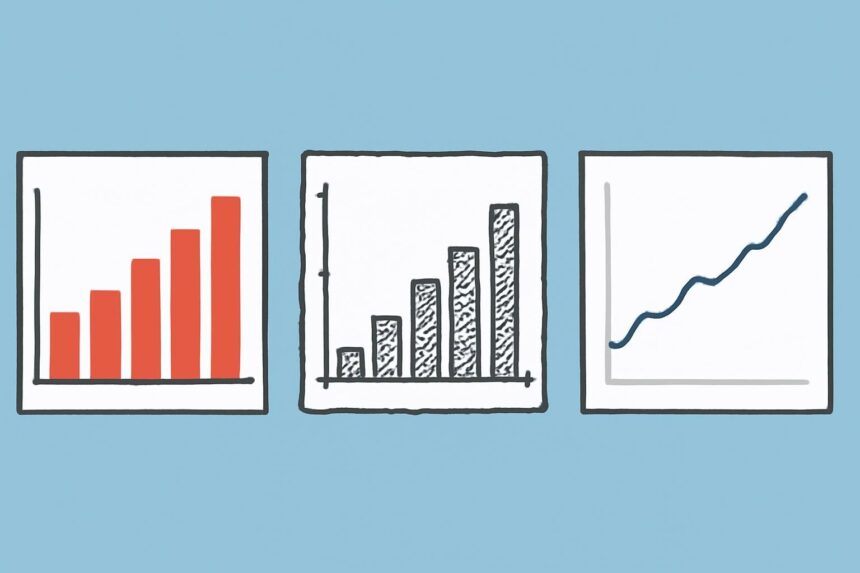
As we noted last month, the new Themes feature in ggplot2 helps you customize the design of R charts to your liking. Now, R user Jeffrey Arnold has built on this feature to create standardized themes to make R graphics looks like those from major publications and other software systems. You can use his ggthemes package to make your charts look like those in The Economist:

As we noted last month, the new Themes feature in ggplot2 helps you customize the design of R charts to your liking. Now, R user Jeffrey Arnold has built on this feature to create standardized themes to make R graphics looks like those from major publications and other software systems. You can use his ggthemes package to make your charts look like those in The Economist:

Ggtheme_economist

or as if it was created with data visualization software Tableau:

More Read

Statistical Rules of Thumb, Part III: Always Visualize the Data
The analytics of soccer
Turning Data Into Content Through Social Media
Lessons from F1 racing: Timely Decisions Get You on the Podium
The Fascinating Role of Data Visualization and Techniques for Assorted Variables

Ggtheme_tableau

or if you’re an R user on the down-low, with that “classic ugly look and feel” of Microsoft Excel. (A better idea would be to just come out!)

Ggtheme_excel
You can download Jeffrey’s ggthemes package from github. Not included in the package (yet) is a theme mimicking the hand-drawn style of the charts featured in the XKCD comic series, but StackOverflow is all over it. For example, Mark Bulling shared the ggplot2 theme that created this XKCD-styled chart of Google Trends data:

Xkcd_cleggpleb1
By the way, if you want to create similar charts reflecting the rate at which specific Google searches are performed, you can use the new rGtrends package from Edmund Hart.


Share This Article
Facebook Pinterest LinkedIn
Share

Follow us on Facebook

Latest News

AI driven big data company
How AI-Driven Workflows Are Changing the Way Companies Think About Data Risk
Artificial Intelligence Data Management Exclusive Risk Management
ai product development
Why Businesses Outsource AI Product Development Companies
Exclusive News
banking tools
The Fintech and Banking Tools Global Entrepreneurs Rely On
Fintech Infographic
business using business intelligence
How to Use a Competitive Intelligence Dashboard to Turn Market Data Into Smarter Marketing Decisions 
Analytics Big Data Exclusive Marketing

Stay Connected

1.2KFollowersLike
33.7KFollowersFollow
222FollowersPin

You Might also Like

Using R and Motion Charts to analyze financial data

3 Min Read

Energy map from the huge quake and tsunami

0 Min Read

The impact of the drug war in Mexico

3 Min Read

The AlloSphere

1 Min Read

SmartData Collective is one of the largest & trusted community covering technical content about Big Data, BI, Cloud, Analytics, Artificial Intelligence, IoT & more.

data-driven web design
5 Great Tips for Using Data Analytics for Website UX
Big Data
ai in ecommerce
Artificial Intelligence for eCommerce: A Closer Look
Artificial Intelligence

Quick Link

  • About
  • Contact
  • Privacy
Follow US
© 2008-25 SmartData Collective. All Rights Reserved.
Welcome Back!

Sign in to your account

Username or Email Address
Password

Lost your password?