Campaigns often stall for reasons that have little to do with creativity or budget. Tracking is inconsistent. Dashboards drift out of date. Analysts spend hours fixing tags instead of looking for insights. The repeatable work that keeps analytics clean and current is also the work most likely to slip when teams are stretched thin.
- Where Campaign Analytics Commonly Break Down
- Inconsistent Naming Conventions
- Tags and Pixels Drifting After Site Changes
- Conflicting Conversion Definitions
- Unowned Reporting Cadences
- What a Marketing VA Can Own for Analytics
- Delegation Blueprint: Who Does What
- Choosing Managed Help for Analytics Tasks
- Playbooks and Templates That Make Hand-off Work
- UTM and Naming Template
- Pre-launch Checklist for Tags and Goals
- Weekly KPI Rollup Template
- Change Log for Dashboards
- QA and Reporting Cadence
- Collaboration, Access, and Security
- Measuring Impact
This article outlines a practical delegation plan: what a specialized marketing virtual assistant can own, how to hand off work clearly, and how to measure the effect on data quality and reporting speed without immediately adding a full-time role.
Where Campaign Analytics Commonly Break Down
Before you delegate analytics work, it helps to see where the problems usually start. Most reporting issues trace back to a few recurring gaps.
Inconsistent Naming Conventions
One team member labels a campaign “summer_sale_2025,” another uses “SummerSale25,” and a third picks “SS-July.” When names differ, reports fragment. You end up with multiple line items that should be one, and it becomes harder to see what is working.

Tags and Pixels Drifting After Site Changes
A developer pushes a site update, and suddenly a conversion pixel stops firing on the checkout page. If nobody checks it, the issue can go unnoticed for days or weeks. By then, your attribution data has a gap you cannot easily backfill.
Conflicting Conversion Definitions
The paid media team counts a lead as a form submission. The CRM team counts it as a qualified opportunity. When each channel uses its own definition, cross-channel comparisons become unreliable.
Unowned Reporting Cadences
Weekly reports slip to biweekly, then monthly, then whenever someone asks. Without a clear owner and schedule, leadership loses visibility and campaign decisions take longer.
What a Marketing VA Can Own for Analytics
A specialized VA does not replace your analyst or strategist. They run the repeatable tasks that keep analytics accurate, organized, and ready for review.
Tracking Hygiene
This includes maintaining UTM naming conventions, updating the master naming list when new campaigns launch, and flagging URLs that do not follow the agreed format before they go live.
Tag and Pixel QA
Before a campaign launches, someone needs to verify that tags fire correctly, pixels load on the right pages, and events register in the analytics platform. A VA can run these preflight checks using approved browser extensions and tag audit tools.
Conversion Event Mapping
Your VA can maintain a single source-of-truth document that maps each conversion event to its definition, platform, and trigger. When definitions conflict, the document helps the team resolve the issue quickly.
Report Maintenance
Dashboards need regular refresh cycles, updated filters, and clear notes that explain anomalies. A VA can own the schedule by pulling data, annotating changes, and sending clean reports to stakeholders on time.
Delegation Blueprint: Who Does What
A simple responsibility split prevents overlap and dropped tasks. Below is a sample RACI-style matrix for common analytics work.
Here is how the split can work in practice:
- UTM creation and naming enforcement: VA is responsible; Marketing Lead is accountable.
- Tag deployment preflight check: VA is responsible; Media Buyer is consulted.
- Monthly conversion event audit: VA is responsible; Analyst is consulted.
- Weekly KPI rollup: VA is responsible; Marketing Lead reviews and approves.
- Anomaly triage: VA flags issues such as spend spikes or broken events; Analyst investigates.
- Dashboard annotation after campaign changes: VA is responsible; Media Buyer provides context.
Set clear acceptance criteria so everyone knows what done looks like. For example, you might require no “other” or “unassigned” traffic above 3% in the weekly report, or require all active campaigns to use UTMs that match the naming template. For related context on using analytics for team planning, treat this split as a working model that can change as campaigns, tools, and responsibilities shift.
Choosing Managed Help for Analytics Tasks
If you bring in outside support instead of hiring internally, use a short checklist to evaluate fit:
- Dedicated vs. pooled support: Will you work with the same person consistently, or rotate through a pool?
- Coverage hours: Do they overlap with your team’s working hours enough for collaboration?
- Communication cadence: Will updates happen through daily check-ins, async notes, weekly syncs, or a mix?
- Playbook-building help: Will they help create templates and checklists, or do you need to provide everything upfront?
- Reporting examples: Can they share sample deliverables so you can judge quality before committing?
- Plan flexibility: Can you scale hours up or down as campaign volume changes?
If you’re looking to free up your team from repetitive analytics administration, reporting, and campaign setup tasks, a managed solution like Wing Assistant’s digital marketing virtual assistant can handle these operational workflows, allowing your strategy team to focus on higher-value work. Before selecting any managed support option, evaluate it against your specific requirements for analytics capabilities, reporting frequency, integration with your existing tools, and the level of customization it offers for your campaigns.
Playbooks and Templates That Make Hand-off Work
Delegation works best when the person receiving the task knows exactly what to do. Build simple playbooks and store them in a shared folder with version control.
UTM and Naming Template
Create a spreadsheet that lists every accepted value for source, medium, campaign, and content. Include examples for each channel so the VA can work without asking for clarification every time.
Pre-launch Checklist for Tags and Goals
Use a step-by-step checklist: verify pixel placement, confirm conversion events in the analytics platform, test on staging, then test again in production. The VA checks each item, notes the date, and flags any issue before launch.
Weekly KPI Rollup Template
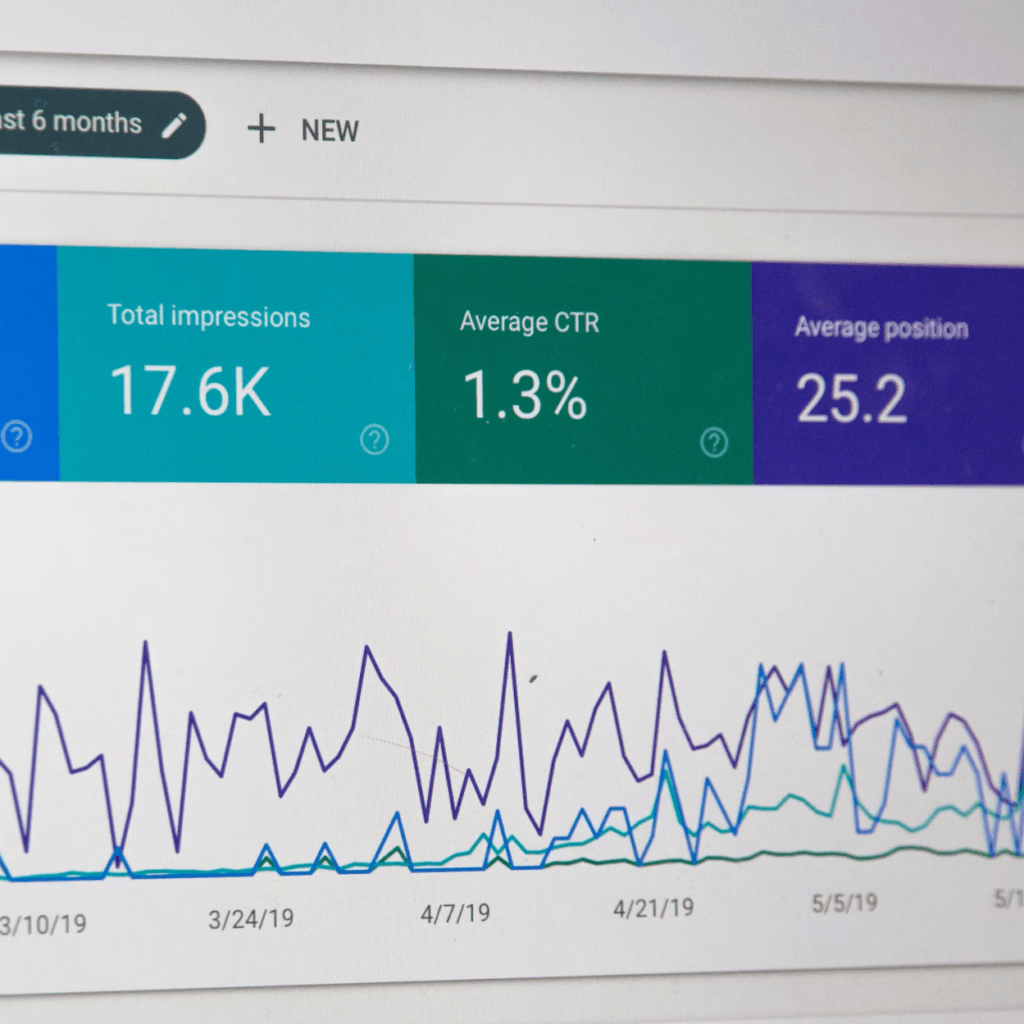
Use a standard report layout with fields for spend, impressions, clicks, conversions, cost per conversion, and notes on anomalies. Consistency makes week-over-week comparison easier.
Change Log for Dashboards
Any time a filter changes, a data source updates, or a widget is added, the VA logs it. This prevents the same “why does this number look different?” conversation from repeating each week.
If time allows, record short screen-capture walkthroughs for each playbook. A two-minute video often saves several rounds of questions.
QA and Reporting Cadence
Structure quality checks around the campaign lifecycle so important steps do not depend on memory.
Prelaunch QA
Before a campaign goes live, the VA confirms that tracking links resolve correctly, events fire in the analytics platform, and landing page pixels load. Any failure triggers a hold until the issue is fixed.
First 72 Hours Watchlist
In the first three days after launch, the VA monitors spend pacing, check for unusual click or conversion volume, and verify that events are still working. A checklist with pass/fail fields keeps this simple.
Weekly and Monthly Reviews
Weekly, the VA pulls the KPI rollup, flags variances above a set threshold, and notes any tracking gaps. Monthly, they run a deeper audit on conversion event definitions, naming compliance, and dashboard accuracy.
Include a clear escalation path. If the VA finds a critical error, such as a pixel that stopped firing on a high-spend campaign, they escalate immediately to the analyst or media buyer instead of waiting for the weekly review.
Collaboration, Access, and Security
Give your VA the access they need and nothing more. Use role-based permissions in your analytics and tag management platforms so they can view and edit the areas they own without touching billing, user management, or raw data exports.
Set up a separate workspace or folder structure for shared documents. Keep tag and pixel ownership documented so everyone knows who controls each asset. If your organization requires two-factor authentication, make sure the VA is set up before their first task.
Avoid sharing login credentials directly. Use platform invitation features or a password manager with controlled sharing instead. These steps protect your data while giving the VA enough access to do the work.
Measuring Impact
You do not need a complicated scorecard. Track a few practical indicators over your first 30, 60, and 90 days:
- Hours saved per week: Compare the time your in-house team spent on reporting and QA before delegation versus after.
- Time to report: Track how many hours after launch it takes for the first accurate report to reach stakeholders.
- Tracking error rate: Count campaigns with missing or incorrect UTMs, broken pixels, or unresolved events each week.
- Percentage of campaigns with complete UTMs: This should trend toward 100% over the first 90 days.
- Share of unassigned or other traffic: A declining percentage often signals cleaner data.
For a rough cost-offset estimate, multiply hours saved per week by the blended hourly rate of the team members who previously handled those tasks. This gives you a practical view of the time value recovered.
Conclusion
Better campaign analytics depend on consistent tracking, clear ownership, and steady reporting cadences. None of that requires a new platform or a much larger team. A specialized VA can manage the repeatable motions that keep data clean, giving analysts and strategists more time for interpretation and planning. Start with one playbook, one reporting cadence, and one clear set of acceptance criteria, then build from there.