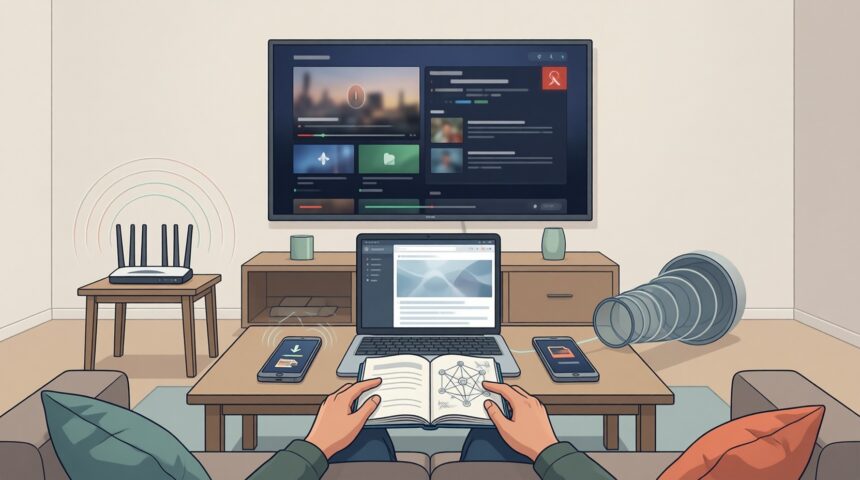
A Netflix error code gives you a specific starting point for troubleshooting. Record the complete message and whether it appears during streaming or downloading. For error 10013, check the VPN or proxy connection first; for an offline playback error, check the downloaded file before changing your network settings.
- What Data Savvy Netflix Users Should Know About Dealing With Errors
- 1. Netflix Error Code F7111-5059
- 2. Netflix Error Code UI-800-3
- 3. Netflix Error Code M7111-1331
- 4. Netflix Error (AVF:11800;OS:42800;)
- 5. Netflix Error Code 10013
- 6. Netflix Error Code 1011
- 7. Netflix Error Code 1012
- 8. Netflix Error Code 1006
- 9. Netflix Error Code 12001
- Frequently Asked Questions About Netflix Error Codes
- Why does Netflix show error code 10013 during title downloads?
- How do you clear Netflix cached data on a Smart TV for error UI-800-3?
- Can a VPN trigger error code F7111-5059 even on a domestic server?
- Retest the Failed Netflix Action Before Resetting More Settings
Netflix is one of the entertainment companies that relies extensively on big data. This is a topic that was discussed in the Forbes article Netflix: Big Data And Playing A Long Game Is Proving A Winning Strategy. Netflix has used big data technology to deliver personalized recommendations to users, offer better and more reliable streaming services and expand its range of product offerings.
The benefits that big data has provided for Netflix do not remove the need to troubleshoot individual devices. Before changing settings, note your device model, the app or browser you are using, and whether another title produces the same error.
These nine error-code sections cover VPN detection, browser access, offline downloads, and checks for connection or app problems. Keep the full code, including any text in parentheses, with your troubleshooting notes.
More Read
What Data Savvy Netflix Users Should Know About Dealing With Errors
Match your troubleshooting to the operation that failed. A browser error calls for a different check than a damaged offline download. Record whether you opened Netflix through a bookmark, used a VPN, or tried to play a file already stored on your device. Change one setting per attempt. Although big data has played a role in driving the streaming service’s success, your local error message is the useful evidence when playback stops.
It has a library of licensed and original content, from which you can choose a title available in your region. Check the title in your account before troubleshooting a download that you can no longer play.
The fixes below separate browser access and VPN checks from device-data and download problems.
After each change, repeat the action that failed. Keep the title and device unchanged during that test so you can identify which step changed the result.
Sandvine’s Global Internet Phenomena Report shows video streaming commanding over 65% of all downstream web traffic. That sheer volume strains residential Wi-Fi. A 1.5% bump in local packet loss starves player buffers before adaptive bitrate ladders can downscale video resolution. Instead of flagging network congestion, desktop and mobile apps frequently mislabel these momentary packet drops as authentication timeouts.
Streaming playback errors rarely stem from corrupted video streams on central servers. Within home networks, they almost always reflect session state mismatches, stale DNS cache entries, or aggressive VPN IP range blocks.
Diana Hope, Author at SmartData Collective| Error Code | Trigger / Root Cause | Affected Platform | Immediate Diagnostic Action |
|---|---|---|---|
| 1. F7111-5059 | Active VPN or proxy IP detected by geo-restriction firewall | Web browsers (Chrome/Safari), Desktop | Disconnect active VPN/proxy tunnel or switch to a verified residential IP |
| 2. UI-800-3 | Corrupted local app cache or stale account tokens stored on device | Smart TVs, Roku, Fire TV, streaming boxes | Clear Netflix app data/cache in device settings, then power-cycle hardware |
| 3. M7111-1331 | Corrupted browser bookmark URL or conflicting browser extension | Desktop browsers (Chrome, Edge, Firefox) | Type netflix.com directly into the address bar; disable ad-blocking extensions |
| 4. AVF:11800;OS:42800 | Offline download title license expired or local storage block corrupted | iOS, iPadOS, Android mobile apps | Delete the corrupted file in My Downloads and re-download over active Wi-Fi |
| 5. 10013 | Mobile title download attempted over encrypted VPN/proxy tunnel | Android and iOS mobile devices | Disable active VPN during download; download over direct Wi-Fi |
| 6. 1011 | Wireless signal degradation or device dropped from local Wi-Fi router | Mobile devices, tablets, streaming dongles | Verify Wi-Fi signal strength; power-cycle router and reconnect device |
| 7. 1012 | Subnet configuration mismatch or stale DNS cache on local network | Smart TVs, home network devices | Flush DNS cache on streaming hardware; confirm DHCP gateway settings |
| 8. 1006 | TCP/IP handshake timeout or session drop with Netflix edge server | All streaming hardware | Power-cycle network router/modem; test connection speed via fast.com |
| 9. 12001 | Outdated app build or firmware cache desynchronization | Android TV, streaming media players | Update Netflix app from app store; clear app storage partition |
1. Netflix Error Code F7111-5059
Content distribution agreements mandate strict geographic licensing boundaries across digital platforms. Because studio contracts restrict catalog availability by country, streaming providers maintain active telemetry to block automated proxies and data-center IP ranges. Error code F7111-5059 flags that your traffic originates from an identified VPN exit node or commercial hosting facility rather than a residential ISP block.
Bypassing this block requires routing traffic through a residential IP tier or disabling tunnel encryption. Disconnect third-party proxy daemons on your local gateway, flush your client DNS cache, and relaunch playback.
Delivering high-throughput video streams requires localized edge caching through dedicated Open Connect appliances deployed inside ISP networks, avoiding the transit congestion that triggers client-side playback errors.
Ken Florance, Vice President of Content Delivery at Netflix, in Netflix Technology Blog2. Netflix Error Code UI-800-3
Cached profile data on your television hardware is usually where error UI-800-3 starts. A desynchronized authentication token corrupts the local session state and freezes video playback.
Clear it with a hardware cold boot. Pressing the remote control button puts most sets into standby without resetting volatile memory. Pull the AC power cord straight out of the wall outlet. Leave it disconnected for sixty seconds so the motherboard capacitors drain completely. After plugging the set back in, open your app settings, clear the cache partition, and log back in.
3. Netflix Error Code M7111-1331
Error M7111-1331 points to an expired browser session. Old bookmarks hold obsolete URL parameters that fail handshake checks against authentication endpoints.
Type the service web address directly into your address bar instead of clicking a saved link. If the player still fails, open an incognito window with extensions disabled. Script blockers and ad shields break playback by rejecting the browser’s Encrypted Media Extensions CDM requests.
4. Netflix Error (AVF:11800;OS:42800;)
Offline viewing utilizes AES-encrypted media chunks saved directly to local flash memory. When an offline sync gets interrupted, or when license renewal tokens expire while disconnected from authentication servers, iOS and Android devices trigger AVF:11800.
Because license verification requires an active data exchange, this error cannot resolve without network access. Connect to an active Wi-Fi connection, navigate straight to My Downloads, and delete the corrupted media file. Re-initiating the download fetches a fresh DRM decryption key and validates playback.
5. Netflix Error Code 10013
Error 10013 surfaces exclusively during offline asset synchronization over an active virtual private network. Digital rights management protocols actively prohibit downloading encrypted video files across proxy tunnels to prevent unauthorized catalog export outside licensed geographical zones.
Terminate any active VPN tunnel or proxy routing profile on your mobile handset before downloading offline assets. Once the local network resolves directly to your native residential gateway, restart the download queue.
6. Netflix Error Code 1011
WinXDVD’s Netflix error troubleshooting guide includes 1011 among errors encountered during home streaming. For a connection check, inspect the Wi-Fi signal on the affected device and retry near the router. Note whether the error changes. Restart the router if the attempt still fails, then check with your internet service provider for an outage before making further changes to the Netflix app.
Physical Wi-Fi interference is the primary culprit behind sudden playback freezes. Telemetry from the Ookla Worldwide Broadband Performance Benchmark reveals that 5GHz signal throughput plunges by 42% after cutting through two standard interior drywall partitions. On older 2.4GHz bands, neighborhood radio crowding drives evening packet jitter up by 35%. The moment jitter passes 50 milliseconds, device buffers deplete faster than adaptive bitrates can adjust, spitting out local network code 1011.
Compare the result with another device on the same Wi-Fi network. Record whether both devices fail on the same title and error code to distinguish device-specific caching from network routing bottlenecks.
7. Netflix Error Code 1012
For error 1012, confirm that the affected device is connected to the intended home network. Retry the same title on a second device using that network, keeping any VPN settings consistent between the two attempts. A successful test gives you a working comparison. If only the original device continues to fail, concentrate subsequent checks there and record the app version alongside the code.
Where your device supports clearing its DNS cache, use the device’s documented procedure and retry. Avoid changing router-wide settings during the same attempt. Otherwise, you lose the comparison between the original failure and the result after the DNS-cache check.
8. Netflix Error Code 1006
Isolate connection code 1006 by checking whether your streaming hardware can ping other local services. If local IP handshakes fail, reboot your router and review local DHCP leases for address conflicts before modifying app credentials.
Check service status through official support channels before resetting local hardware. For connected TVs and media players, consult Netflix’s device troubleshooting guidance before making drastic firmware modifications.
9. Netflix Error Code 12001
Code 12001 points to corrupted internal storage partitions on Android and smart TV hardware. Open your device application manager, tap the streaming app, and purge both cache and local application data. Should the storage corruption persist across updates, inspect manufacturer partition health before initiating a full device reset.
Frequently Asked Questions About Netflix Error Codes
Why does Netflix show error code 10013 during title downloads?
Netflix error code 10013 occurs specifically when a mobile device attempts to download content while connected through an encrypted VPN, proxy, or tunnel service. Netflix licensing agreements require verified geographic rights, so the app restricts offline title saving whenever an anonymized or encrypted IP route is detected. Disconnecting the VPN before initiating the download resolves the issue.
How do you clear Netflix cached data on a Smart TV for error UI-800-3?
Error UI-800-3 indicates that cached credentials or obsolete session data on your Smart TV or streaming box are preventing communication with Netflix servers. To fix it without losing TV settings, navigate to Settings > Applications > Netflix, select Clear Data and Clear Cache, and then unplug the TV from wall power for 60 seconds to completely discharge local memory before restarting.
Can a VPN trigger error code F7111-5059 even on a domestic server?
Yes. Error F7111-5059 triggers when Netflix detects an IP address belonging to a commercial data center or known VPN provider, regardless of whether the server is located within your home country. Netflix blocks commercial data center IP subnets in bulk instead of checking individual user accounts, so connecting through a VPN triggers the block even if the server is in your local city.
Retest the Failed Netflix Action Before Resetting More Settings
A successful app launch does not confirm a download is fixed. For Netflix code 10013, repeat the failed download after disconnecting the VPN or proxy, then test the downloaded title. Keep the full error message if it returns. For an offline-file error, verify the replacement download before relying on it without a connection. Record each attempted fix separately so a later support conversation includes the exact failure and the changes already tested.