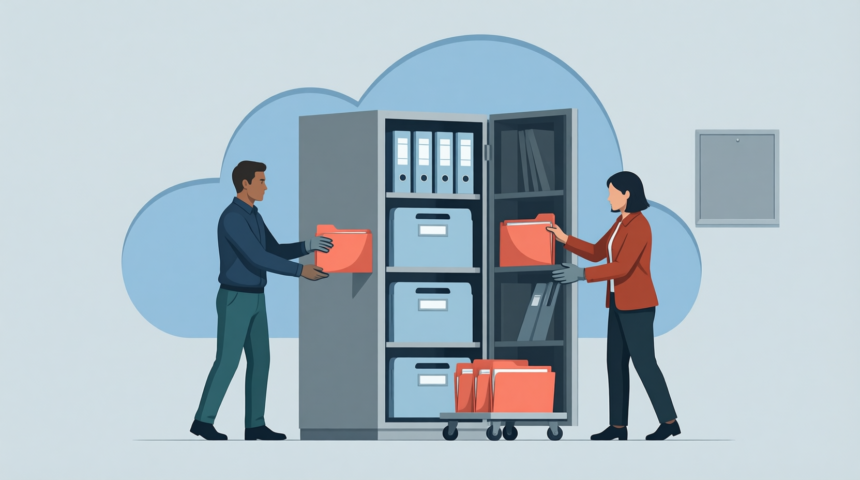
We all get used that cloud storages like Dropbox and Google Drive serve one definite purpose: to keep our data online. Thus, we can easily add, remove, share access, open, or edit files and rest assured that the storage would backup and synchronize all our changes.
We all get used that cloud storages like Dropbox and Google Drive serve one definite purpose: to keep our data online. Thus, we can easily add, remove, share access, open, or edit files and rest assured that the storage would backup and synchronize all our changes. This is a standard way to utilize a service like this. However, more advanced users are constantly finding new ways to benefit from certain cloud storage options. For example, we all can take advantage of the fact that most cloud storages are cross-platform. Thus, we can easily exchange files between a PC, Mac, smartphone, tablet, etc. Indeed, there is a handful of clever ways to use cloud storage services, which you may not have thought of. Have a look at five most non-standard tricks you can do with your Dropbox or Google Drive.
Stream Multimedia on Any Device
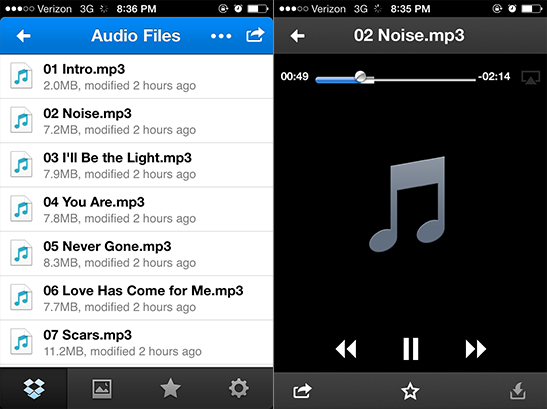
Buying tracks and videos for your iPhone or Android phone is quite costly. Otherwise, it is possible to stream any multimedia files on your device with a cloud storage. All you need is to add those files to your cloud storage folder on PC or Mac. Note that big size files are not good for streaming, so you would better convert long videos to smaller files with Freemake Video Converter and then upload it to a cloud folder on your PC. By default, iOS and Android apps will try to play your files with inbuilt multimedia player. However, some formats may not play well. So you have the option to open the file with any other video or audio player installed on your device, e.g. Groove or Flex:player.
More Read
![Why a Mere 300 Exabytes Will Give Us a Headache [VIDEO]](https://www.smartdatacollective.com/wp-content/uploads/2013/05/mere-300-exabytes-give-us-headache-video-330x220.jpg)
Sync Browser Bookmarks
How would you like the idea that all your browser bookmarks will be always with you, regardless of what PC or device you use? This is feasible with cloud storages. By changing the default location where your browser stores bookmarks to your cloud storage folder, it is possible to synchronize bookmarks across all devices. You may need to run CMD bar to do those changes, so it is advisable to follow this guide to successfully make all the preparations. Once set, any new bookmarks will be automatically added to your browser across all devices.
Start Torrent Downloads at Home from Any Gadget
If you are a regular uTorrent user, you may want not to stop your downloads when you just leave your home PC and add new torrent streams from any device. Just tell your BitTorrent client to track a specific folder in your Dropbox or Google Drive for torrents. Then, when you are out of home PC and want to download a cool new torrent, just copy that file to your designated cloud storage folder. It’ll sync with your PC, get recognized by your client, and start downloading for you.
Find your Stolen Laptop or Smartphone
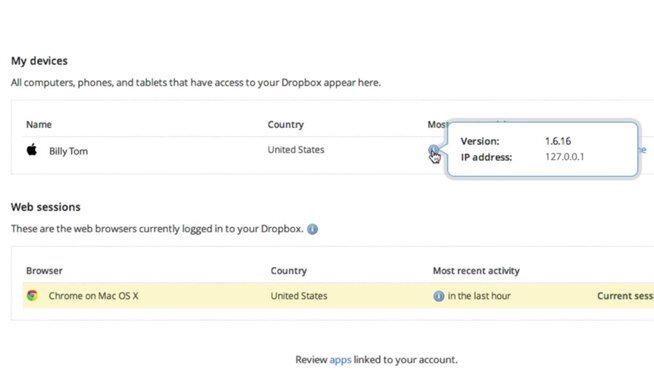
Not every thief knows that cloud storage software can track a device IP address. So if you have your PC, laptop or mobile gadget stolen, you have all chances to find it with the help of Dropbox. Once the stolen machine is connected to the Internet, you can track your computer’s last IP address through the Dropbox account security page. You should go to Dropbox > Account settings > Security > Sessions.
Print Documents Remotely
The same as with torrents, you may need to print documents, mails, photos, PDF files on your home printer when you are not at home. Just create a special folder in your Dropbox and simply run the following script on your home PC. The script will check out the specified folder for files, print and delete them afterwards. Useful, isn’t it?