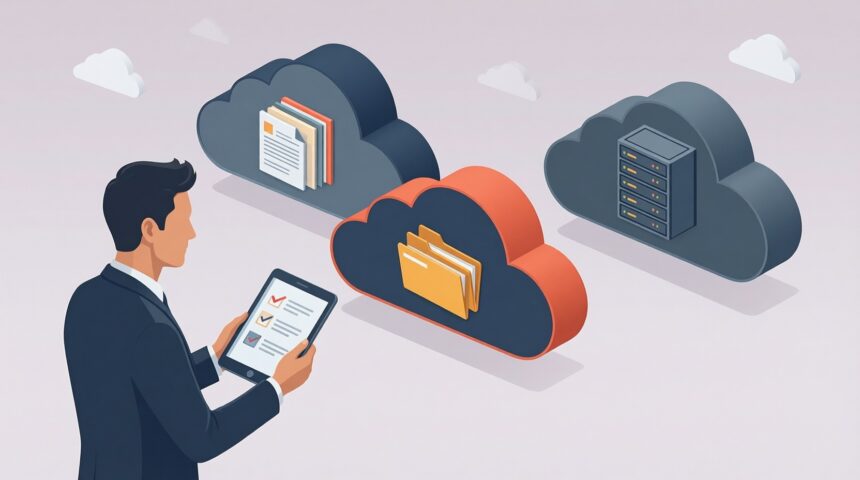
Start your multi-cloud architecture comparison with object store latency, then compare cost and flexibility against a hybrid setup that keeps some infrastructure on premises. Ask prospective providers for current enterprise pricing and test results that match your team’s requirements. Choosing a cloud storage provider also means checking who protects your data, where it lives, and what help you can expect when something goes wrong. The five considerations below give you a framework for that review.
Cloud storage holds data on provider-managed servers accessed over the internet or a private connection, as IBM’s cloud storage overview explains. For enterprise procurement, compare usable capacity, availability SLAs, durability commitments, recovery time and recovery point objectives, and total cost – including retrieval and egress fees. Verify the quoted plan’s storage regions and redundancy options; geographic replication is not universal.
The off-site location and the connection to it are separate procurement decisions. IBM describes access over either the public internet or a dedicated private network connection. Your team should specify both the destination for its data and the permitted network path before requesting a quote. Ask whether the proposed service supports your company’s approved connection, how that connection is charged, and which access methods remain available if it fails. Include network charges in the storage budget.
Businesses use cloud storage to obtain capacity without maintaining all of the supporting equipment on premises. That changes the purchasing decision from a hardware acquisition to an ongoing service evaluation. The business rationale should identify which infrastructure expenses disappear, which remain, and what remote access your staff require. Use the AWS cloud storage overview as background for the proposal review, then ask vendors to price your actual capacity, retrieval, and transfer requirements. A low capacity price alone does not establish lower total cost of ownership (TCO).
1. Security Capabilities
One of the major factors holding business owners back from embracing the cloud is the concern over security. When you use a cloud storage provider, you’re essentially giving your valuable data to a third party with the expectation they’ll keep it safe. Even so, with numerous news stories involving security breaches at big companies, business leaders may not be enthusiastic about giving their data to someone else. Most cloud storage companies have responded to these concerns by improving their own security, adding in new measures aimed at protecting clients’ data. When you pick a cloud storage provider, make sure they have sufficient security measures. These can include anti-virus software, data encryption, firewalls, and routine security audits.
To assess those protections, follow the path your data takes through the service. You can access cloud storage through a web portal, browser, or mobile app using an API, as described in Microsoft Azure’s explanation. Behind that interface, virtualization decouples operating systems from physical servers. Storage virtualization abstracts disks into logical volumes, while distributed clusters of storage nodes hold the data. Ask your provider to explain how its security measures apply across that path, from the interface your staff uses to the distributed infrastructure storing your files. Request a diagram that your technical team can review alongside the provider’s security documentation.
2. Price Considerations
While it may not be a surprise, bringing down operating costs is a major reason so many companies have started using the cloud. And with so many cloud vendors striving for your business, prices have become very competitive. Examine closely how each provider’s pricing structure works. Many providers offer a certain amount of storage for free, but businesses that need a lot more storage will need to pay for their services. Some vendors have a monthly subscription fee, while others have an upfront flat fee that usually lasts the whole year until you renew it. Once you know how a vendor charges their clients, figure out which pricing plan works best for your company.
Include your on-site infrastructure budget in that comparison. Cloud storage reduces the need for extensive equipment at your company and shifts spending from capital expense, such as large upfront investments, to operating expense through predictable monthly billing. Marco’s overview of cloud storage benefits describes this budget shift. Data can also be available wherever you are, whenever you need it. Ask your finance and operations teams to identify which infrastructure expenses would change and which staff need remote access before approving a plan. Our article on integrating finance and operations through cloud storage offers a related discussion for those teams.

Article pull quote, originally attributed to Marco’s Advantages of Cloud Storage: 7 Key Benefits for Businesses: “That reduces the need for extensive on-site infrastructure and shifts spending from capital expense (large up-front investments) to operating expense (predictable monthly billing).”
3. Data Storage Location
Storing data in the cloud isn’t some nebulous, abstract concept. That data is stored in an actual physical location; it’s just transferred over the internet. When looking for a cloud provider, know where they plan on storing your company’s information. If the vendor stores your data in a different country, that country’s laws may affect who has access to it and how it can be controlled. Another factor to be considered is if the data storage location is at risk for natural disasters like tornadoes, earthquakes, or hurricanes. Knowing your cloud vendor has a plan for how to protect and save your data in case an emergency strikes can play a major role in which one you end up choosing.
“Cloud Storage lets you store data with multiple redundancy options, virtually anywhere.” Google Cloud, Cloud Storage
Your location review should also cover the relationship between existing infrastructure and cloud services. Hybrid and multi-cloud architectures can help balance performance, cost, and flexibility. A hybrid cloud solution specifically combines on-premises infrastructure with cloud services, using strategic data placement to keep different types of data in an appropriate location. MyWorkDrive’s comparison of cloud and on-premises storage describes this approach. Before asking for proposals, list the data your team expects to keep on premises and the data it plans to store externally. Ask providers to explain how their proposed placement meets your performance requirements and budget.
Public, private, hybrid, and multi-cloud deployment models
Public cloud places infrastructure management with the provider and offers shared resources that can scale with demand. Its usage-based cost model reduces the need for upfront hardware purchases. Private cloud gives your organization greater control over the environment. Hybrid combines local infrastructure with cloud services, while multi-cloud reduces reliance on a single provider. These are the tradeoffs outlined in TenUp’s deployment-model comparison. Start with your placement requirements. A requirement to retain some data on premises points to a different design from a requirement to distribute services across providers.
Compare the four patterns against the same workload and retention assumptions. Ask each bidder to separate capacity charges from network egress fees, retrieval charges, and private connectivity costs. For security review, request evidence mapped to NIST SP 800-53 or ISO/IEC 27001 and identify how your team will use AWS Security Hub and Wireshark where applicable. Do not assume identical controls across environments. Require written confirmation of S3 Object Lock support where relevant, or the proposed equivalent for WORM immutability, including retention settings and deletion permissions.
| Architecture pattern | Control and placement | TCO and egress review | Immutability, compliance, and SLA checks |
|---|---|---|---|
| Public cloud | Provider-managed, shared infrastructure with capacity adjusted to demand. | Request usage pricing plus retrieval, network egress, and connection charges. | Verify available storage regions, WORM retention controls, and the quoted service’s SLA. |
| Private cloud | Greater organizational control over the environment. | Account for infrastructure, staffing, maintenance, and external network costs. | Assign responsibility for retention enforcement, audit evidence, and availability commitments. |
| Hybrid cloud | On-premises infrastructure combined with cloud services. | Include retained local costs and transfers between local and cloud locations. | Document permitted data placement and test protection requirements across both environments. |
| Multi-cloud | Services distributed across providers to reduce single-provider reliance. | Price each provider separately and request charges for cross-provider transfers. | Verify region, immutability, and SLA terms independently for every service. |
Look at the components connecting those locations, too. A cloud storage architecture includes a front end that exports an API for storage access. Workload-aware components can monitor query patterns and data accesses to inform management and optimization decisions. The Cloud Storage Architecture paper’s discussion of Relational Cloud describes how workload awareness supplies information for optimization and security functions while reducing configuration effort. That is a specific design example, so ask whether a prospective service provides comparable capabilities. Have your team identify the access API, the virtualization layer, and the management components in the proposed architecture, then ask what workload information each component uses.
How data reaches the storage infrastructure
Cloud storage moves the storage destination to remote, provider-managed infrastructure, as described in Google Cloud’s explanation of how cloud storage works. Your applications reach the service through its access interface; the underlying storage nodes and virtualization layers hold the data. Ask for the complete request path. The architecture diagram should identify the receiving endpoint, where data is placed, which redundancy option applies, and how a retrieval request reaches the stored data.
Distribution and replication need service-specific answers. Ask whether data is distributed within one location or across regions, what copies the selected redundancy option creates, and how retrieval proceeds during a component or location failure. Request documented API rate limits and test the application’s retry behavior under throttling. Measure object store latency over your intended connection using representative request sizes and concurrency. Record retrieval and transfer charges alongside the results so that your performance comparison also supports the TCO calculation.
File, block, and object storage requirements
File, block, and object storage are separate architecture categories covered by the AWS storage comparison. Your request for proposals should identify the interface the application expects: file and directory access, logical storage volumes, or an object-access API. Have the provider demonstrate that interface with your application. A capacity quote does not establish compatibility, and an object store latency benchmark does not answer every requirement for a workload expecting file or volume access.
Include metadata in the acceptance test, especially for unstructured data. Google Cloud’s architecture comparison identifies limited metadata use as a potential constraint for search and retrieval operations. Ask each vendor which metadata fields your application can retain, how it can query them, and what separate indexing would be required. Do not assign the same metadata limitations to every storage category. Test representative searches and retrieval requests, then document API rate limits and the cost of the requests needed to locate and return data.
4. Service Level Agreement
The service level agreement (SLA) should be a key factor when you decide on a cloud storage provider. The SLA basically outlines what a vendor will do for your company and what the client’s responsibility is. This may include items such as what kind of data will be stored, how it will be stored, how it will be protected, how problems are solved, and a variety of other important items critical to understanding how the cloud vendor operates. Make sure you know what a prospective cloud vendor’s SLA entails to get a good idea what you can expect from them.
5. Tech Support
No technology is perfect, and problems will arise from time to time. When the unfortunate happens, it’s helpful to know you can contact your cloud provider to get some much needed assistance. So before choosing a vendor, find out how they handle tech support. Ask them when they’ll be available (preferably 24/7 and on holidays) and how best to contact them (online or over the phone). You should also find out how quickly they respond to a concern or problem, since having your cloud storage go down for a few days could be disastrous for your business. A vendor that does not meet these needs may be one that’s best avoided.
Turn these five considerations into a written comparison before you sign a contract. For each provider, collect its security documentation, a pricing proposal, storage locations, the SLA, and support contact details. Have your technical team check the architecture and your finance team review the proposed charges. You can build an initial shortlist from our guide to cloud storage solutions for business; smaller teams can also consult our Dropbox or Box comparison for small businesses. Ask each shortlisted provider to resolve any unanswered requirements in writing before making your choice.
Enterprise advantages and limitations
Remote access, reduced on-site equipment requirements, and capacity flexibility are useful reasons to consider cloud storage. Evaluate the disadvantages in the same business case. QA’s review of cloud storage benefits also addresses disadvantages; your company’s decision should account for connection requirements, service restrictions, and the full cost of retrieving or moving data. Ask finance to model normal operations and an exit from the service. Include network egress fees, retained infrastructure expenses, and support charges in both scenarios, with API rate limits included in the technical assessment of transfer time.
V2 Cloud identifies healthcare, finance, and legal services as sectors that can benefit from cloud storage while requiring high security and compliance. For your company, have legal and security teams determine the applicable GDPR, HIPAA, and data sovereignty requirements before approving storage locations. Request contractual evidence for those requirements; a region name alone should not complete the review. Have the provider demonstrate the proposed S3 Object Lock or other WORM immutability configuration, and record who can change retention or delete protected data. Map the evidence to your organization’s approved control framework.
Conclusion
Choosing a cloud storage provider means weighing security, total cost, data location, service commitments, and technical support together. Compare multi-cloud and hybrid options against your workload’s latency requirements, budget, and plans for keeping data on premises. Before signing, request current pricing, relevant test results, and documentation confirming the proposed storage regions, redundancy options, and protections.
Use that evidence to judge whether each proposal meets your team’s requirements.
Rick Delgado, SmartDataCollectiveFAQ
Do I really need to pay for cloud storage?
Not necessarily. Many providers offer a limited amount of free cloud storage, which may be enough for a small collection of files. Paid plans become useful when you need more capacity or features not included in the free tier. For business use, compare security controls, support, and service commitments as well as storage capacity before choosing a plan.
How do I access my cloud?
Sign in to your cloud storage provider’s website or app using the account associated with your files. As Microsoft Azure explains, cloud storage can be accessed through a web portal, browser, or mobile app. For company-managed storage, you may also need your organization’s approved account and network connection.
How can your team verify cloud storage locations and data residency?
Request the storage regions and redundancy configuration for the exact service in your proposal. Ask the provider to identify where primary data and replicated copies reside, then have your legal team review those locations against applicable data sovereignty, GDPR, or HIPAA requirements. Verify whether access uses the public internet or a dedicated private network connection. Document the network path separately from data placement, and obtain written confirmation before approving the contract.
What happens when your cloud storage is full?
When you reach your storage limit, new uploads, syncing, or backups may stop until you free space or increase your allowance. The exact restrictions depend on the provider, and services sharing the same quota may also be affected. Review your storage usage and the provider’s policy before deleting anything: deleting a synced file can also remove it from connected devices. Save an independent copy of important files first.