Cookies help us display personalized product recommendations and ensure you have great shopping experience.

By using this site, you agree to the Privacy Policy and Terms of Use.
Accept
SmartData CollectiveSmartData Collective
  • Analytics
    AnalyticsShow More
    composable analytics
    How Composable Analytics Unlocks Modular Agility for Data Teams
    9 Min Read
    data mining to find the right poly bag makers
    Using Data Analytics to Choose the Best Poly Mailer Bags
    12 Min Read
    data analytics for pharmacy trends
    How Data Analytics Is Tracking Trends in the Pharmacy Industry
    5 Min Read
    car expense data analytics
    Data Analytics for Smarter Vehicle Expense Management
    10 Min Read
    image fx (60)
    Data Analytics Driving the Modern E-commerce Warehouse
    13 Min Read
  • Big Data
  • BI
  • Exclusive
  • IT
  • Marketing
  • Software
Search
© 2008-25 SmartData Collective. All Rights Reserved.
Reading: 4 Ways to Distribute Your Error Reports
Share
Notification
Font ResizerAa
SmartData CollectiveSmartData Collective
Font ResizerAa
Search
  • About
  • Help
  • Privacy
Follow US
© 2008-23 SmartData Collective. All Rights Reserved.
SmartData Collective > Big Data > Data Mining > 4 Ways to Distribute Your Error Reports
Data Mining

4 Ways to Distribute Your Error Reports

DataQualityEdge
DataQualityEdge
3 Min Read
SHARE

Following up on my last post about Error Report Contents I’d like to identify 4 ways an error report can be distributed.

Error reports can be distributed in the following manner;

Mainframe or application logs: Such reports can be deleted when the time limit has been reached. This will take space and has limited search capabilities.

Email alerts: Great for filing up your inbox. If you’re ambitious enough you can sort, organize, follow-up or delete them.

More Read

What Big Data Has Helped Us Learn About Wall Street
“Dispersed wind farms and solar panels on people’s homes are posing new challenges for managing power…”
#27: Here’s a thought…
Integrated Data Among Top Challenges P&G, Kraft and Others Face in Tapping Gartner’s “The Power of Me”
Data Controls and Customer Loyalty: How Big Companies Keep Clients

Webpages: Having them on web pages provides that modern look and feel and provides access to anyone you wish. You can then drill down to gather further details on the error, job, and even further details. Can be a bit cumbersome to manage…

Following up on my last post about Error Report Contents I’d like to identify 4 ways an error report can be distributed.

Error reports can be distributed in the following manner;

Mainframe or application logs: Such reports can be deleted when the time limit has been reached. This will take space and has limited search capabilities.

Email alerts: Great for filing up your inbox. If you’re ambitious enough you can sort, organize, follow-up or delete them.

Webpages: Having them on web pages provides that modern look and feel and provides access to anyone you wish. You can then drill down to gather further details on the error, job, and even further details. Can be a bit cumbersome to manage.

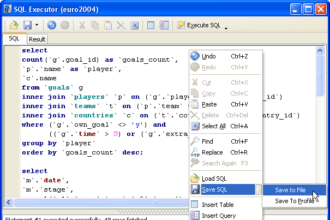
Database tables: In this form you can query the results, and maintain a history in an easy to read format, provided you have the right skills.

Recommendation: Regardless of how you look at it. In a support role, you need to action incidents quickly. To do that use email alerts, once completed you can delete them and keep your inbox clean. Furthermore, you want to report on them, so only delete them if you have a record of them elsewhere. The best bet is to have your errors written to a database table where you can create some KPI’s on files or even source systems (another tidbit to keep in mind for error reports). SQL will allow you to create some good KPI’s and identify key trouble areas. With those indicators you will be able to take corrective actions on systems and files that just don’t measure up to any service level agreements you may have in place.


TAGGED:kpisql
Share This Article
Facebook Pinterest LinkedIn
Share

Follow us on Facebook

Latest News

student learning AI
Advanced Degrees Still Matter in an AI-Driven Job Market
Artificial Intelligence Exclusive
mobile device farm
How Mobile Device Farms Strengthen Big Data Workflows
Big Data Exclusive
composable analytics
How Composable Analytics Unlocks Modular Agility for Data Teams
Analytics Big Data Exclusive
fintech startups
Why Fintech Start-Ups Struggle To Secure The Funding They Need
Infographic News

Stay Connected

1.2kFollowersLike
33.7kFollowersFollow
222FollowersPin

You Might also Like

Image
HadoopSoftware

NoSQL vs. SQL: An Overview

5 Min Read
standard graph query language
ExclusiveNewsProgramming

A Standard Graph Query Language Could Be Coming—Here’s What To Know

14 Min Read

The concept of non-relational analytics

3 Min Read
KPI healthcare
Best PracticesCulture/LeadershipData ManagementPolicy and Governance

Let Them Eat KPI: An Integrated Approach to KPI and MDM in Healthcare

7 Min Read

SmartData Collective is one of the largest & trusted community covering technical content about Big Data, BI, Cloud, Analytics, Artificial Intelligence, IoT & more.

AI and chatbots
Chatbots and SEO: How Can Chatbots Improve Your SEO Ranking?
Artificial Intelligence Chatbots Exclusive
giveaway chatbots
How To Get An Award Winning Giveaway Bot
Big Data Chatbots Exclusive

Quick Link

  • About
  • Contact
  • Privacy
Follow US
© 2008-25 SmartData Collective. All Rights Reserved.
Go to mobile version
Welcome Back!

Sign in to your account

Username or Email Address
Password

Lost your password?