


Data security is a greater concern than ever before. There were 1,862 data breaches in 2021, which is a 20% increase from the previous record set in 2017.
You have to take stringent measures to secure your data. This includes using a VPN whenever you connect to a public Wi-Fi network.
VPNs Are Invaluable for Data Security
The Internet plays an important role in everyone’s lives these days. The Internet has given us a lot, especially during the pandemic when there were global lockdowns and everyone was worried about getting infected with COVID-19.
During that time, the internet helped us make money and get an education. Many people already knew the importance of the internet, but many didn’t consider the internet such a necessity before the pandemic. However, after the pandemic, that has changed. Now people understand that the internet is a necessity and not a luxury.
More Read

Unfortunately, the growing dependence on the Internet has led to an increase in data breaches. It is important to take steps to prevent them as cybercriminals up their game.
People have to be more cautious about data protection when working remote. This is the case whether they are working from home or a public Wi-Fi.
Due to the high demand for the internet, there are many public spots where you can find free Wi-Fi networks offered by the government, telecommunication companies, cinemas, hotels, restaurants, and cafes. Those networks are not safe, and you should not connect your device to those open networks because of security concerns. You can get your device hacked by connecting your device to such networks unless you take some precautions. It is highly recommended not to use the public Wi-Fi, but if there is an emergency and you need to connect the device to the public Wi-Fi, then use a VPN.
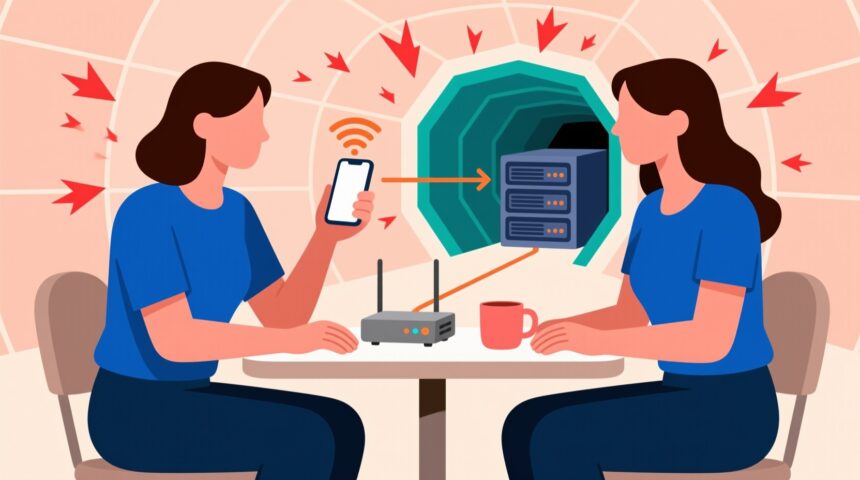
A VPN plays a vital role in securing your devices and the data that you have stored on your devices when you use public Wi-Fi. If you are using public Wi-Fi, the person who shared the hotspot can trace your IP address easily. If you are outside of your house and you have to connect to a public Wi-Fi because of some work, make sure you use VPN, so data that you have stored on your system is secured. A VPN encrypts data and might cause the website to load slow, but it will help you secure your data as no one can intrude on your privacy. VPNs will offer you a dedicated and safe internet connection.
What is a VPN?
A Virtual Private Network helps secure your data and the activities you do online from cybercriminals. It also secures your privacy from third-party attacks and dangers. Your data is encrypted the moment you start using a VPN. Some hackers might know that you are using a VPN, but they won’t be able to access your device or your personal information. Your IP address would be changed, and you won’t be traced.
Why should we use a VPN?
If we are using a private network, it is not necessary to use a VPN, as many providers like Cox offers internet security that comes with internet services. The companies understand the importance of data security and ensure that their customers get the services via the secured path. Click here to find more about the data security features you get with a service like Cox.
If you are using public Wi-Fi, you need to use a VPN so that your data is protected from criminals and hackers. The data that hackers access is usually used for criminal activities and is provided to terrorist organizations.
Using internet security or being safe while surfing the web is very important these days. You need to make sure that your devices and your sensitive information are secured. Millions of people are using internet services in this digital world but only a few people care about the security they should get while getting the internet services. Anything can go wrong anytime. Malicious third-parties can easily access your data if you are not using the internet securely even if you are on a private home network.
Why public Wi-Fi is not secure?
Public Wi-Fi is an unsecured network that does not require any password. Anyone can access that. These networks are un-encrypted connections that leave your devices at risk. Some hackers offer public Wi-Fi just to capture your data and to get your personal information. Following are the threats and dangers, which you might be facing on the internet.
- Phishing attack
If you are using public Wi-Fi, the probability of getting phishing emails or links is more because your IP address can be traced. Cybercriminals usually use this approach to get your personal information and access your sensitive data.
- Identity theft
It’s easier for cybercriminals to get access to your IP address if you are not taking any security precautions. They can easily get access to all your sensitive data and personal information that could include pictures, videos, or the work you have on your device. They can have access to your private accounts, the transaction that you make online can be traced and this way they can misuse that information for illegal purposes.
Precautions to be adopted while using Public Wi-Fi
Some security measures need to be adopted to make sure that even while you are using public hotspots, your personal information and your devices are secured. If you are using a private home network, try to have internet security software in your device or system so your devices can be secured from all these threats and dangers. Try not to open random links and emails, which can result in you losing your personal information.
Tips for using Virtual private network (VPN)
While using public Wi-Fi, make sure that you have a VPN on your computing/mobile device. Try to get a paid VPN, so you get all the features, and your VPN will run smoothly. Before doing any work or surfing on the internet while using the public hotspot, make sure that you connect VPN first, so no one can access your data and your device is secured.
Summing it up
Many people don’t take internet security as seriously as it should be taken due to a lack of awareness. There are many big companies, who have been a victim of these internet threats and have lost not just money but also their place in the market. When you are using public Wi-Fi, it’s like you are giving an invitation to hackers and cybercriminals to access your data. Try not to use public Wi-Fi but if by any chance you are using a public hotspot, just make sure you take all the security measures before you connect your device to that network.