
We use cookies, including third-party cookies from Google to serve personalized ads through AdSense, to operate this site and understand how it is used. By continuing to browse, you accept this use. See our Privacy Policy and Terms of Use for details, including how to opt out of personalized advertising.
Accept
SmartData CollectiveSmartData Collective
  • Analytics
    AnalyticsShow More
    Flat editorial illustration: The article is about joining public web signals with internal business metrics so BI teams can inter
    Alternative Data in BI: Bringing Public Web Data Into Your Dashboards
    23 Min Read
    Flat editorial illustration: The article contrasts passive follower totals with a behavioral path from attention and trust to cli
    Creator Analytics Beyond Follower Count: Seven Metrics That Measure Audience Behavior
    11 Min Read
    Flat editorial illustration: The article connects AI and marketing analytics with managerial judgment grounded in consumer behavi
    How an Online MBA in Marketing Connects AI and Data Analytics
    11 Min Read
    What Kind of Problem-Solving Distinguishes Data Analysts From Software Engineers -- AI-generated illustration
    What Kind of Problem-Solving Distinguishes Data Analysts From Software Engineers
    7 Min Read
    chatgpt image jul 21, 2026, 04 34 30 pm
    4 Core Benefits of Predictive Maintenance after Vibration Analysis
    10 Min Read
  • Big Data
  • BI
  • Exclusive
  • IT
  • Marketing
  • Software
Search
© 2008-25 SmartData Collective. All Rights Reserved.
Reading: Utilizing Data Analytics To Create Seamless Web Dashboards
Share
Notification
Font ResizerAa
SmartData CollectiveSmartData Collective
Font ResizerAa
Search
  • About
  • Help
  • Privacy
Follow US
© 2008-23 SmartData Collective. All Rights Reserved.
SmartData Collective > Analytics > Utilizing Data Analytics To Create Seamless Web Dashboards
AnalyticsBig DataExclusive

Utilizing Data Analytics To Create Seamless Web Dashboards

Here's how data analytics can help you create seamless web dashboards.

Ryan Kh
Ryan Kh
6 Min Read
Utilizing Data Analytics To Create Seamless Web Dashboards
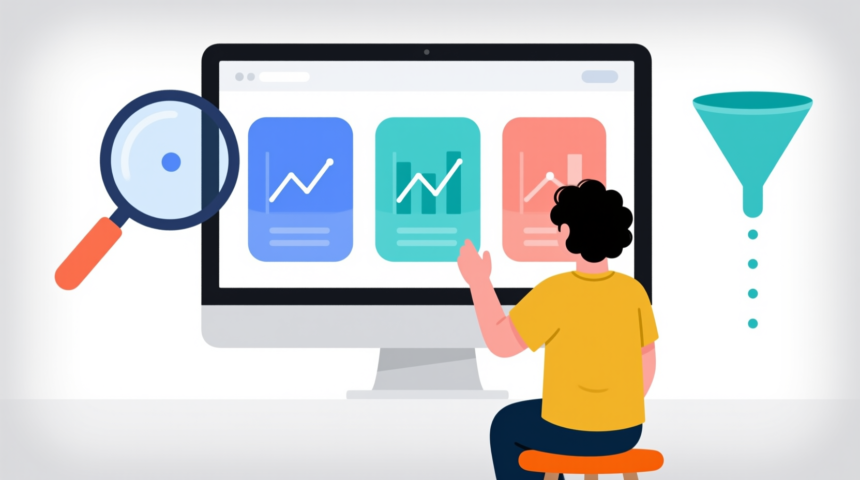
Illustration generated with Qwen Image.
SHARE

Big data is radically changing the future of online business. The benefits that it offers are abundantly clear.

Contents
  • Big Data is Critical to Developing Web Dashboards
  • Differences between Dashboard and Report
    • What is a web dashboard?
    • What is report and how does big data play a role?
  • Reasons You Need a Dashboard Web Application
  • How Does Big Data Interact with Your Dashboards?
  • How Much Does It Cost to Create Your Own Web Dashboard?
    • Big Data and Web Dashboards Are Intuitively Intertwined

This Medium post highlights some of the reasons that big data is transforming the nature of e-commerce and other fields of online business. One of the biggest benefits is through personalized recommendations. Amazon receives around 35% of its business through recommendations it provides to customers. They also use trend forecasting and customer behavioral analysis to adapt their business models to boost business.

However, none of these features would be viable without web dashboards. We talked about the benefits of business dashboards before, but web dashboards have their own benefits. These interfaces enable organizations to seamless analysis their content and provide GUI interaction capabilities. Big data and web dashboards go hand in hand.

Big Data is Critical to Developing Web Dashboards

In 2020, there are hardly any apps that do not come with a dashboard. Dashboards are pretty useful when it comes to managing an app. It allows you to update content, manage your app, and implement other features. Also, almost every other app is using a dashboard, be it a mobile app or a web app.

More Read

Fantasy Analytics
Fantasy Analytics
Growth of Big Data Requires Android Users to Have VPNs
Why the Best Accident Lawyers Are Using AI
Discovering Your New World With Analytics
Key Reasons Businesses Are Embracing AI

However, they need to know how to create a dashboard web application. In case if you have the same question running in your head, then I am here to help you out.

In this article, I have listed out all the important areas that you need to look at how to create a dashboard web application – effective yet engaging. You need to know how data analytics will be integrated into it.

So here we go:

Differences between Dashboard and Report

The dashboard and report may seem pretty same. Like whenever you want to look at some data, dashboard and report is something that you look at.

However, they are not really the same. They both have differences, and to help you out, let me just draw the line and help you understand the actual difference between dashboard and reports.

What is a web dashboard?

In the world of software development, a dashboard is something that is visual and a way to represent key data points. For example, you can refer to a website that is selling computers. So, a dashboard will include all the items, top selling products for the last month, and so on.

What is report and how does big data play a role?

On the other hand, the report is something similar to the dashboard. However, it offers you detailed data of your company or any other thing. Also, it contains more text than a dashboard. You will need to know how to structure the data for your dashboard before setting up the interface though.

Reasons You Need a Dashboard Web Application

Now that you know the difference between a dashboard a report. The next question is, why you need a dashboard web application?

Dashboards are something that is designed to convey chunks of data in the simplest form. After all, no one likes to go through a huge number of words in a report. Instead, they can simply look at graphs, charts, or any other visual representation.

How Does Big Data Interact with Your Dashboards?

There are a lot of facets to big data. You need to understand how it aligns with your organizational goals.

Many experts have stated that big data pollution is a growing concern. Companies have larger and larger repositories of data, which can be difficult to assimilate and leverage. Dashboards can be used to solve the challenges this creates.

Here aer some ways that dashboards can improve the value of your big data:

  • You can get insights at different levels
  • You can customize the accessibility of your data for different stakeholders
  • You can optimize different big data resources to maximize the utility of your budget

Web dashboards offer tremendous value for companies trying to get more value out of their data resources. They should apply these resources carefully.

How Much Does It Cost to Create Your Own Web Dashboard?

The last question is, what is the cost to create your own web dashboard? Well, depending on your project scale, the price will vary. However, if you ask me for a rough idea, I would recommend you to be prepared with a budget of $60,000 to 80,000.

So that was all for your question. If there is anything you wish to ask, then do feel free to comment below, and I will help you out.

Big Data and Web Dashboards Are Intuitively Intertwined

Big data is gaining greater value among companies all over the world. However, they don’t always know to leverage it effectively. Web dashboards provide a seamless interface to get the most value out of your data.


TAGGED:data analyticsweb dashboard
Share This Article
Facebook Pinterest LinkedIn
Share
ByRyan Kh
Follow:
Ryan Kh is an experienced blogger, digital content & social marketer. Founder of Catalyst For Business and contributor to search giants like Yahoo Finance, MSN. He is passionate about covering topics like big data, business intelligence, startups & entrepreneurship. Email: ryankh14@icloud.com

Follow us on Facebook

Latest News

Flat editorial illustration: The article is about joining public web signals with internal business metrics so BI teams can inter
Alternative Data in BI: Bringing Public Web Data Into Your Dashboards
Big Data Business Intelligence Exclusive Web Analytics
Flat editorial illustration: A SaaS-editorial scene showing product usage, support patterns, and renewal feedback informing a fle
Using Product Usage Analytics and Support Data to Build a B2B Product Roadmap
Business Intelligence Infographic
From Hiring To Payroll: Managing HR Data Across Business Systems -- AI-generated illustration
From Hiring To Payroll: Managing HR Data Across Business Systems
Big Data Business Intelligence Infographic
Flat editorial illustration: The article is about automating the collection, preparation, and delivery of marketing data across p
From Data to Dashboards: 5 Marketing Reporting Automation Software Picks
Big Data Business Intelligence Exclusive

Stay Connected

1.2KFollowersLike
33.7KFollowersFollow
222FollowersPin

You Might also Like

What to Know Before Recruiting an Analyst to Handle Company Data
Analytics

What to Know Before Recruiting an Analyst to Handle Company Data

6 Min Read
How Big Data Can Help Create Demo Videos That Make Their Mark
Big DataExclusive

How Big Data Can Help Create Demo Videos That Make Their Mark

8 Min Read
5 Ways To Improve Your Business Skills with Data Analytics
Analytics

5 Ways To Improve Your Business Skills with Data Analytics

11 Min Read
Link Building Basics For SEO In The Age Of Data Analytics
Analytics

Link Building Basics For SEO In The Age Of Data Analytics

10 Min Read

SmartData Collective is one of the largest & trusted community covering technical content about Big Data, BI, Cloud, Analytics, Artificial Intelligence, IoT & more.

Chatbots and SEO: How Can Chatbots Improve Your SEO Ranking?
Artificial Intelligence Chatbots Exclusive
5 Great Tips for Using Data Analytics for Website UX
Big Data

Quick Link

  • About
  • Contact
  • Privacy
Follow US
© 2008-26 SmartData Collective. All Rights Reserved.
Welcome Back!

Sign in to your account

Username or Email Address
Password

Lost your password?