Today’s technology grants us the power to access information at lightning speeds, communicate with anyone in the world, and store and manage our most important files conveniently. The downside to these massive quality of life improvements is that they leave us vulnerable. If we aren’t careful, powerful corporations and nefarious individuals can get access to the data we most wish to keep private, from our browsing history to our credit card numbers.
Fortunately, there are some basic ways you can protect your privacy reliably online.
Invest in Your Security
First, make an investment in your cybersecurity, especially if you’re using the internet for business purposes. If you use any cloud platforms, make sure you’re also investing in cloud security to keep your cloud-hosted data safe. If you’re sending important communications to clients or employees, make sure you use a layer of end-to-end encryption to keep those messages secure. If you’re using a physical device, make sure it’s protected with a suitable antivirus program. These additional security measures are rarely expensive, and can greatly reduce your chances of being a victim of cybercrime.
Be Wary of the Providers You Use
It’s also important to be wary of the providers you use—especially if you’re using them for sensitive information or highly important matters. Different service providers will have different levels of commitment to your privacy and security as an individual. Some companies explicitly try to collect as much data on you as possible, with few (if any) options you can use to keep your information more private. Others deliberately attempt to keep your data as anonymized as possible.

Reading privacy policies can be a pain, but if you care about your privacy, it’s worth the effort. Take the time to understand how each of your vendors or service providers treats your personal data.
Use and Understand Private Browsing
Most modern browsers offer a “private” mode, like incognito mode, which allows you to browse websites without logging information like which sites you visit or which search queries you enter. Unfortunately, many people misunderstand how private browsing works. This will serve as a completely isolated browsing session, meaning your browsing history won’t leave tracks on your local device. However, this can’t protect you from spyware actively monitoring your actions, or anyone snooping on your web traffic. In other words, it doesn’t afford you complete security or privacy.
Get a VPN
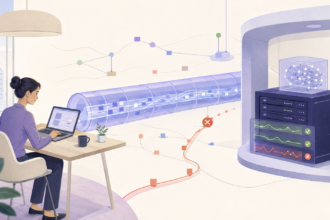
If you want next-level protection, it’s a good idea to invest in a virtual private network (VPN). VPNs function by bouncing your traffic to a separate server, or sometimes multiple different servers, making it nearly impossible to tie your browsing history back to your device or network. Most VPNs are easy to set up, helping you establish a secure layer of protection with a single click, and many give you the option to choose your own server. While there are free VPN options available, it’s usually better to go with a paid option, since there might be caveats or security compromises with a free version.
Evaluate Your Privacy Settings Everywhere
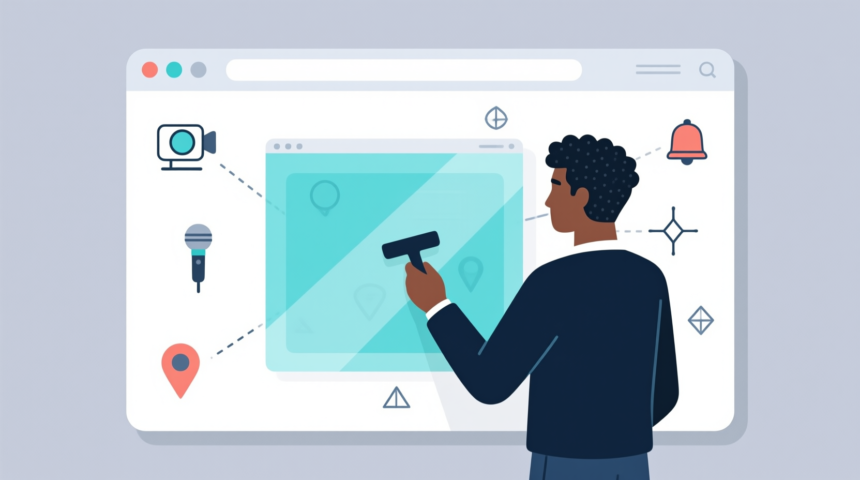
Most apps and platforms will provide you some degree of control over your privacy settings, like allowing you to decide who can see your data or how it’s used. Take the time to understand how these settings work, and customize them to your liking. For example, you may make your social media profiles inherently private, or stop advertisers from collecting your browsing information.
It’s also a good idea to check your app permissions; you may have given data sharing permission to multiple apps without realizing it. This is your chance to revoke or adjust those permissions.
Avoid Using Public Networks (or Use Them Carefully)
For the most part, it’s best to keep all your web traffic isolated to a private network that you control. Generally, this means a home or business network with encryption and a secure password. Try to avoid using public networks, which make it easy to spy on your traffic. If you do use them, invest in extra security measures and be careful which information you provide.
Keep Your Passwords Secure
This is a basic step, but one that’s too important to ignore. Be sure you’re using strong passwords, with many characters and a mix of upper-case letters, lower-case letters, numbers, and symbols. Also, make sure you change those passwords regularly, and don’t use the same password too many times. Using password security software should help make password management easier, especially when you have multiple to keep track of.
These days, it’s hard to attain and keep full control over your online privacy. However, these approachable strategies should make it possible to increase your privacy and security much higher than the default. There’s no way to completely anonymize yourself or make your accounts totally unhackable, but even simple measures can have a drastically positive effect.