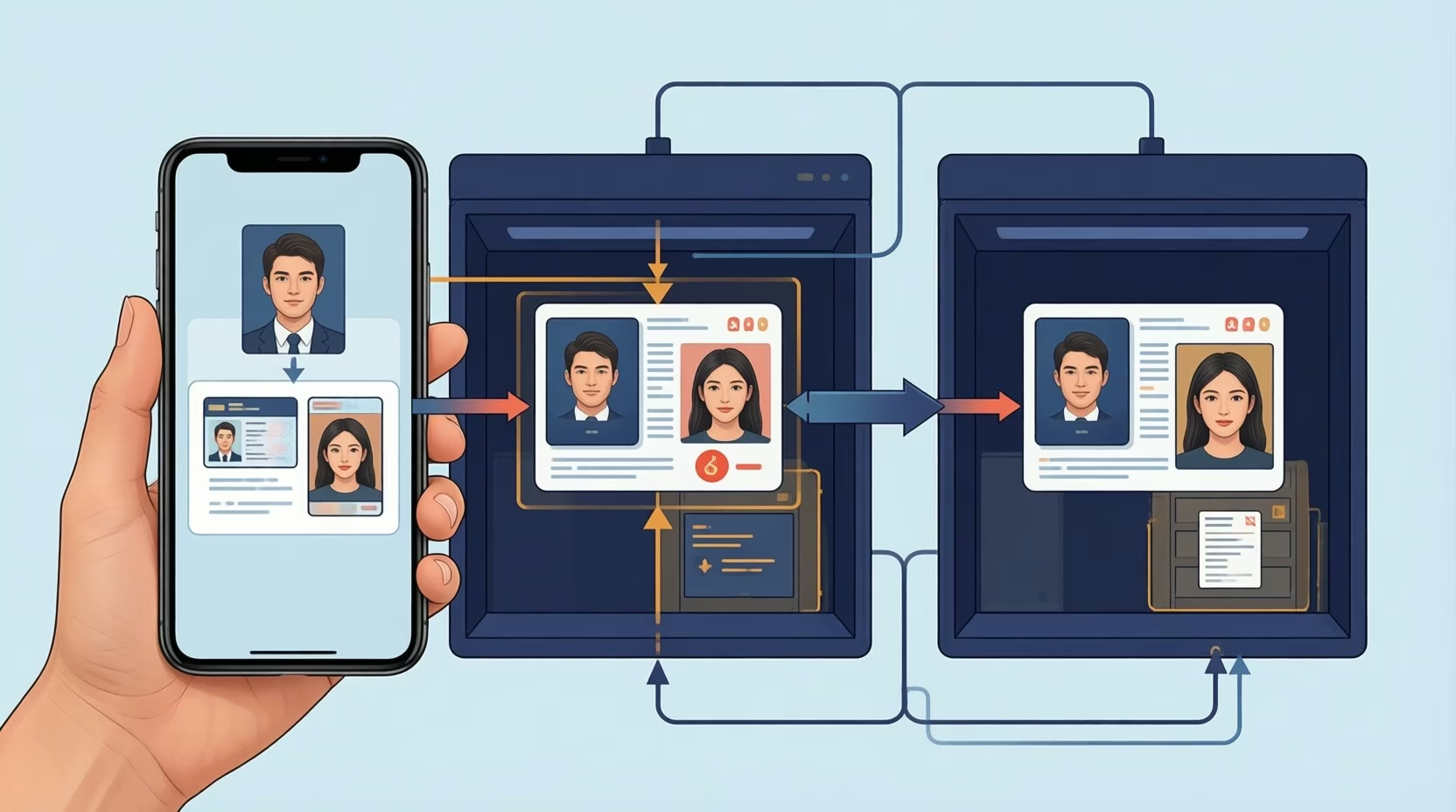



Almost every analyst has sat through a painful reconciliation meeting. The script rarely changes. In a typical scenario, Marketing claims it generated 40 marketing-qualified leads (MQLs) last month, while Sales insists it received only 28 worth pursuing. Meanwhile, Finance wants to know why neither figure matches the final bookings report.
- How One Buyer Becomes Three Contacts
- What Duplicate Records Do to Marketing Attribution
- The Dirty Data Patterns That Quietly Break Attribution
- A 30-Minute CRM Data Quality Diagnostic
- How to Fix Duplicates Without Losing First-Touch Data
- FAQ
- How do data teams validate attribution model accuracy before changing ad spend?
- Which shared checks help prevent inconsistent reports after consolidation?
- Fix the Data Before Defending the Dashboard
Your attribution model probably isn’t broken. Duplicate and decayed CRM records are feeding it bad inputs by splitting single buyers into multiple contact histories. You can baseline your CRM data quality in 30 minutes by checking email case variations, grouping company-name clusters, and auditing blank or default Original Source fields before reallocating ad spend. Sources: evidence
- Duplicate records corrupt marketing attribution data by inflating top-of-funnel volume and severing early touchpoints from closed deals.
- Basic deduplication rules will miss matches if they do not normalize email text case first.
- Careless merging wipes out the exact history you need for accurate marketing attribution reporting.
So you check the dashboard. Every filter looks right, the attribution model hasn’t changed, and the reporting pipeline is running on schedule. Yet the numbers still refuse to line up, and leadership wants an explanation.
Even if your CRM data quality started out clean, it won’t stay that way on its own. CX Today notes that customer records degrade continuously as buyers switch roles and companies, and B2B benchmarks from Salesmotion place annual CRM data decay at roughly 22.5% (often illustrated by operations teams as about 2.1% per month). The problem often isn’t your attribution model at all. Before you rebuild your dashboard from scratch, inspect the raw records feeding it.
- Fragmented buyer journeys: Duplicate CRM records split a single prospect’s interactions across disconnected contact profiles, skewing multi-touch and first-touch reporting.
- Continuous record decay: B2B contact databases decay by roughly 22.5% annually as buyers change jobs, email addresses, and company names.
- High enterprise duplicate rates: Industry reports show duplicate records account for 10% to 30% of total contacts across many enterprise CRM environments.
- Direct revenue drag: Over a quarter of organizations lose more than $5 million a year to poor data quality, according to IBM Institute for Business Value research.
- Fast baseline auditing: A 30-minute CRM data quality diagnostic covering email normalization, company clustering, and source-field checks surfaces hidden distortion before you shift marketing budgets.
Your CRM may have quietly split one buyer into three separate contacts.

How One Buyer Becomes Three Contacts
Duplicate CRM records occur whenever a single buyer’s journey fractures into separate histories across forms, imports, and manual sales entries. When your CRM fails to link a prospect’s work email, personal address, and abbreviated company name, your reporting stack counts one buyer as three unrelated leads.
Take a prospect named Alex Morgan at Acme Corporation. In May, Alex registers for your webinar using a work email address. Your marketing automation platform creates a new contact and logs the source as Webinar.
Seven days later, Alex downloads a research report using a personal Gmail address. Because the CRM misses the connection, it spins up a second contact and stamps the source as Organic Search.
Come June, a sales rep speaks with Alex directly and enters a lead manually. The rep types the company name as “Acme Corp” instead of “Acme Corporation,” logging the source as Offline Sources.
| CRM Record | Company | Original Source | |
|---|---|---|---|
| Contact A | alex.morgan@acmecorp.com | Acme Corporation | Webinar |
| Contact B | Personal Gmail | Acme Corporation | Organic Search |
| Contact C | Work email or alternate entry | Acme Corp | Offline Sources |
Now your database holds three contacts across three distinct records. To the CRM, three unrelated people showed up. To Alex, he’s been talking to your company for six weeks. That disconnect is exactly where attribution breaks down.
This happens constantly. Industry reports show that duplicate data sits at roughly 10% to 30% for many enterprises. Instead of tracking one buyer moving from initial curiosity to an active sales conversation, your reporting stack sees three disconnected people with partial histories.
What Duplicate Records Do to Marketing Attribution
Duplicates corrupt marketing attribution data long before any statistical model touches it by inflating top-of-funnel volume and severing early touchpoints from closed deals. Using Alex’s fragmented trail as an illustrative example, we can see four specific ways reporting goes off the rails when duplicate contacts accumulate.
- Inflated lead counts: Three records for Alex easily get counted as three distinct leads. Your top-of-funnel dashboard looks fantastic, even though you’re counting the same person three times. Multiply that pattern across a full database, and you quickly see how an illustrative 40-versus-28 MQL gap happens.
- Incorrect channel attribution: Alex’s webinar registration lives on one record, while his research download sits on another. Which channel gets the credit? Without a reliable way to link those records and keep the earliest interaction, the winning channel depends entirely on which record your report pulls. That distortion skews channel comparisons and misdirects your next budget allocation.
- Inaccurate lifecycle reporting: One of Alex’s records remains stuck at the Lead stage while another moved to Opportunity weeks ago. Your funnel report claims leads aren’t converting, even when they are. They’re simply converting on a duplicate record your funnel query ignores.
- Misleading cohort analysis: Alex appears as three separate buyers across three cohorts, making two of them look like dead ends. When your team groups customers by acquisition month, duplicates inflate one cohort while dragging down conversion and retention rates across the board.
Of course, duplicate CRM records don’t cause every reporting discrepancy. Broken integrations, mismatched stage definitions, and flawed query logic also muddy the waters.
The Dirty Data Patterns That Quietly Break Attribution
CRM data quality issues usually trace back to a handful of predictable bad habits and technical blind spots inside your database, such as unnormalized email casing, inconsistent company naming, unscreened CSV imports, and overwritten source fields. You won’t prevent every error once records start syncing across multiple tools and teams.
CRM practitioners frequently observe that while most architecture discussions begin with the question, “Are our systems integrated?”, revenue teams should ask a much sharper question first: “Can we trust the data?”
Building that trust starts with hunting down dirty data. Watch for these five common patterns:
- Email case and alias variations: One record stores alex.morgan@acmecorp.com while a second stores ALEX.MORGAN@acmecorp.com. Basic deduplication rules will miss the match if they don’t normalize text case first. Compare your raw distinct email count against a lowercased count to spot these right away.
- Company-name inconsistencies: “Acme Corp” and “Acme Corporation” likely point to the same enterprise, whereas “ACME Industrial” could be a completely separate business. Group your contacts by normalized company names and inspect the largest clusters first, taking care never to auto-merge records on company name alone.
- Duplicate imports: Every time an admin uploads a webinar attendee sheet or trade show CSV, existing contacts risk getting created all over again. Run imported email lists against your active database before committing the upload.
- Missing or overwritten original source: A contact may show a blank source when a web form drops tracking parameters, or a bulk import might overwrite the true origin with a generic label like “Offline Sources.” Filter for blank or generic source fields and cross-check them against activity logs.
- Orphaned contacts: Any contact missing an associated company becomes a reporting dead end for account-based marketing. Filter for unlinked contacts to see how many orphans are hiding in your system.
These aren’t minor clerical glitches; each pattern directly warps how marketing performance gets graded. Still, treat flagged records as candidates for human review instead of proof of a duplicate. Two different employees with similar names really can work at the same enterprise, and unrelated businesses frequently share similar names.
A 30-Minute CRM Data Quality Diagnostic
You can baseline the health of your own CRM in half an hour using three straightforward checks: check for duplicate emails caused by case differences, group similar company names, and count contacts with blank or default Original Source values. Running this diagnostic surfaces formatting mismatches and ingestion gaps before you touch attribution weights.
Check 1: Email Variations
Export your contact list and count the distinct email addresses. Next, convert every address to lowercase, strip trailing spaces, and run the count again. If the second total drops, formatting quirks are hiding duplicate contacts. A standard spreadsheet pivot table or deduplication function handles this in a few moments.
Keep in mind that this test only catches formatting mismatches, not contacts who used two different email addresses.
Check 2: Find Company-Name Clusters
Strip extra spaces and standardize capitalization across your company name field. Group your contacts by the cleaned result and check the volume in each bucket, scanning the 20 largest clusters for obvious naming variations.
Sorting by company name in a spreadsheet lets you eyeball adjacent rows quickly, though catching abbreviations and typos takes a bit more manual review.
Check 3: Audit Original Source Values
Tally every contact where the Original Source field sits blank or defaults to Offline Sources. Compare that total against how your team actually brings in leads. A spike here doesn’t automatically prove an error, but it tells you where to audit your ingestion workflows.
Teams running HubSpot or Salesforce can speed up Check 1 using native duplicate management tools.
Why put in the effort for these low-level checks? A 2025 IBM Institute for Business Value report found that over a quarter of organizations lose more than $5 million a year to poor data quality, while EverReady.ai’s compilation of primary CRM statistics shows data and analytics leaders consider 26% of their data untrustworthy. Sloppy records drain real revenue and corrupt executive reporting. Sources: evidence
An odd count during a 30-minute check doesn’t prove your database is broken, but it gives you a concrete starting point for deeper investigation.
How to Fix Duplicates Without Losing First-Touch Data
Cleaning up duplicate CRM records takes more finesse than hitting a bulk merge button. You have to protect the historical fields showing how each buyer first discovered your pipeline by locking down matching rules, routing uncertain pairs to human review, and explicitly retaining the earliest interaction timestamp.
Careless merging wipes out the exact history you need for attribution. Many CRMs simply retain the surviving record’s source field and discard the rest. If you merge Alex’s three records the wrong way, his initial webinar registration disappears, leaving your attribution reporting even less accurate than before.
Duplicate record removal is typically the highest-ROI first step in any CRM cleanup effort, because duplicates corrupt almost every downstream process: attribution, pipeline reporting, suppression lists, and renewal workflows. The challenge is that automated deduplication without defined merge rules creates new problems you merge records incorrectly and lose historical data that had value.
Ahmed Elneil, Certified Digital Marketer and Entrepreneur, Choose Oxygen, in Your CRM Data Is Lying to You: A Self-Diagnostic FrameworkFollow a disciplined merge sequence instead:
- Define Matching Rules: Lock down what qualifies as a match, whether that’s exact email, full name plus company, or a combination of identifiers.
- Review Uncertain Matches: Route borderline pairs to a human reviewer instead of forcing an automated merge.
- Preserve Historical Fields: Explicitly retain the earliest verified Original Source along with its first-touch timestamp.
- Validate After Merging: Rerun your funnel and attribution queries immediately after the cleanup to verify the impact.
Watch out for one common trap: the oldest CRM record by creation date doesn’t always hold the earliest marketing touch. In practice, a sales rep might import an account after a prospect attended a webinar under a secondary record. Always audit interaction timestamps instead of relying on record creation dates.
Dedicated software takes the manual grind out of this process, and several free CRM data cleanup tools can handle the initial heavy lifting. Before running any utility on production records, verify that it lets you control which source value survives the merge.
As CleanSmart points out, many free utilities lack semantic matching capabilities. Semantic matching catches fuzzy duplicates – like “Acme Corp” versus “Acme Corporation” – that rigid character-by-character rules miss.
FAQ
How do data teams validate attribution model accuracy before changing ad spend?
Data teams validate attribution inputs by running the 30-minute CRM diagnostic before shifting any channel budget. Export your contacts to compare raw versus lowercased email counts, group normalized company names to spot fragmented accounts, and audit blank or Offline Sources fields so duplicate records do not skew channel credit.
Which shared checks help prevent inconsistent reports after consolidation?
Applying a strict merge sequence prevents reporting drift after consolidating records. Lock down explicit matching rules, route uncertain fuzzy matches to human reviewers, preserve the earliest verified interaction timestamp alongside the original source field, and rerun your funnel queries immediately after merging to confirm your totals align.
Fix the Data Before Defending the Dashboard
Think back to that tense reconciliation meeting: Marketing claimed 40 MQLs, Sales counted 28, and Finance trusted neither. Fragmented CRM records can easily create that entire gap on their own. Before you spend weeks re-engineering your attribution logic or rebuilding executive dashboards, audit the contact records feeding your queries.
An analyst’s job goes beyond defending broken numbers in a meeting; the real work is fixing the pipeline carrying them. Run a quick data-cleaning diagnostic first, isolate the duplicate patterns, and repair your foundation so your attribution reports reflect reality.