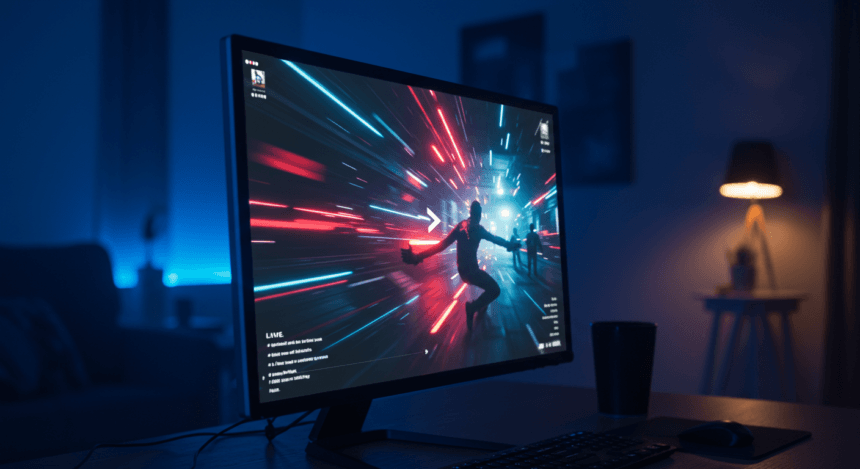
There are a lot of amazing ways AI is changing our lives. One of the biggest is that it makes cooler videos for streaming.
Generative AI is revolutionizing the production of video into better-quality, lower-cost content at warp speed. Through the end of 2023, up to 80 percent of U.S. film, television, and animation houses had already included or were set to include AI-enabled tools in their workflows. They can build realistic scenes, de-age stars, and completely synthetic characters, reducing the need for expensive reshoots and post-production. This shift is not only growing more efficient but is also enabling top-quality material for independent artists and small production companies.
Increasing popularity of AI-created video is driving the rapid growth of the market, since worldwide AI video generator market value is $554.9 million in 2023 and is expected to increase with a CAGR of 19.9% during the years 2023-2030. Enhanced AI capabilities are going to characterize the growth of all that varies from promotion video and social media marketing material to full-length feature films.
But better-quality streaming and storing facilities become necessary with increasing use of AI-generated video. This can be challenging for individuals with limited internet bandwidth or older equipment, potentially widening the digital divide.
More Read

Streaming movies, TV shows, and live sports should be a seamless experience, but if your video keeps buffering or playing in low quality, your internet speed might be the issue. Many factors affect streaming performance, including your connection type, household bandwidth usage, and the quality of your internet plans. Before you start troubleshooting, it’s essential to check whether your internet is fast enough to support your streaming needs.
How Much Speed Do You Need for Streaming?
Different streaming services have specific speed requirements depending on the quality of the video you’re watching. Here’s a general guide:
- SD (Standard Definition, 480p) – Requires at least 3 Mbps
- HD (High Definition, 720p – 1080p) – Requires at least 5-10 Mbps
- 4K Ultra HD (2160p) – Requires at least 25 Mbps
- Live Streaming (Twitch, YouTube Live, etc.) – Requires at least 5-10 Mbps upload speed
If your household has multiple devices streaming at the same time, you’ll need even higher speeds to avoid buffering and slowdowns.
How to Check Your Internet Speed
1. Run a Speed Test
The easiest way to check if your internet is fast enough for streaming is by running a speed test. You can use free online tools like:
- Speedtest.net
- Fast.com (by Netflix)
- Google’s built-in speed test (search “internet speed test” on Google)
When running the test, make sure:
- No one else is streaming or downloading in your home.
- You’re as close to your WiFi router as possible.
- You test at different times of the day to see if speeds fluctuate.
2. Compare Your Speed with Streaming Requirements
Once you have your download speed results, compare them with the streaming requirements listed earlier. If your speeds consistently fall below what’s needed, you may experience buffering or lower video quality.
Why Your Internet Might Not Be Fast Enough
If your speed test results are lower than expected, several factors could be affecting your connection:
1. Network Congestion
During peak hours (evenings and weekends), many users in your area are streaming, which can slow down your internet speed.
2. WiFi Interference
If you’re streaming over WiFi, obstacles like walls, furniture, and other electronics can weaken the signal, reducing speeds.
3. Too Many Connected Devices
Smart TVs, gaming consoles, phones, and other devices all share your internet connection. If multiple devices are streaming, downloading, or gaming at the same time, your bandwidth may be stretched too thin.
4. Outdated Equipment
An old modem or router may not support high-speed connections. Upgrading to a newer model can improve performance.
How to Improve Your Internet for Streaming
If your internet isn’t meeting your streaming needs, here are some steps to fix it:
1. Upgrade Your Internet Plan
If your speeds are consistently slow, consider upgrading to a plan with higher download speeds. Fiber and cable internet options generally offer the best performance for streaming.
2. Use a Wired Connection
Connecting your streaming device directly to the router with an Ethernet cable ensures a stable and faster connection, reducing buffering.
3. Optimize Your WiFi Signal
- Move your router to a central location.
- Use a 5 GHz WiFi band for better speeds.
- Limit the number of devices connected to WiFi during streaming.
4. Adjust Streaming Quality
If your internet speed is limited, consider lowering the video resolution in your streaming app settings to prevent buffering.
5. Restart Your Router Regularly
Restarting your router once a week can help clear any network congestion and improve performance.
Streaming should be smooth and enjoyable, not frustrating. By testing your internet speed, optimizing your network, and making simple adjustments, you can ensure your video streams in high quality without interruption.