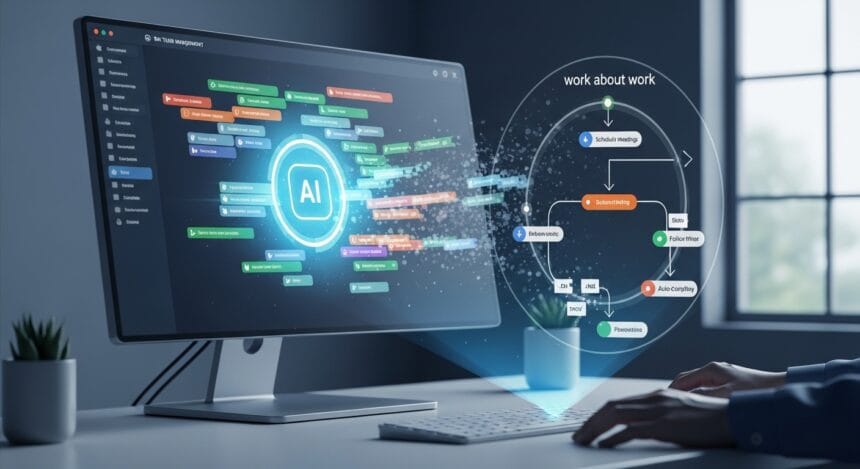
Let’s imagine a world where 30% of your week is spent not on actual work, but on updating trackers, writing status reports, and coordinating meetings. This is that kind of bureaucracy. In data first organizations, this “work about work” is often invisible metrics but it lost focus, velocity, and job satisfaction.
- What exactly does “work about work” mean?
- How AI is changing task planning and tracking
- How AI task managers cut “work about work”
- 1. Auto‑task creation from chat or voice
- 2. Smart grouping, prioritization, and deadlines
- 3. Automated reminders and status updates
- 4. Workload and productivity analytics
- Impact on IT, software, and data teams
- For IT teams
- For software development
- For data and BI teams
- What to look for in an AI task manager
Today, AI task managers like Voiset are starting to change that. By abandoning manual tracking and adopting AI-driven planning, teams can reduce coordination overhead and redirect time toward real execution and data-driven decisions.
What exactly does “work about work” mean?
“Work about work” refers to all the activities that support the process of work, but do not create direct value themselves. Think:
- Weekly status meetings and follow‑up emails
- Manually updating Jira, Asana, or Trello
- Writing sprint reports and ad‑hoc status updates
- Endless coordination messages in Slack or Teams
And who really reads meeting notes after a call? You might come back but not to the notes.
In IT, software, and data environments, this overhead is particularly noticeable. Teams work across multiple projects, dependencies, and stakeholders, which means more meetings, more tickets, and more manual tracking even when the actual coding or analysis hasn’t changed.
More Read
A great analogy is vibe coding: when an AI agent gets stuck in a loop and can’t break out of recursion, tokens keep getting burned. The same thing happens here except instead of tokens, the most valuable resource is being wasted: time.
How AI is changing task planning and tracking
Task management tools have been built around rigid boards, issue trackers, and manual updates, the classic way of working. Teams usually have to switch contexts between their real work (writing code, running queries, building dashboards, reading docs, vibe coding) and their project‑management UI.
Overhead task managers with AI are crushing this pattern. Instead of forcing users into a separate interface, they:
- Let you create tasks from voice or chat
- Auto‑extract tasks from emails, messages, or documents
- Suggest priorities, deadlines, and dependencies based on your behavior
These tools blur the line between collaboration platforms (Slack, Teams, ChatGPT) and project management systems. For IT, software, and data teams, this means less context switching and fewer “work about work” tasks.
How AI task managers cut “work about work”
Here are the top 4 ways AI task managers reduce overhead:
1. Auto‑task creation from chat or voice
Without opening a tracker and typing in a new task, you can simply say or type:
“Fix the data pipeline error by Thursday, assign to Alex.”
The AI breaks this into a structured task and assigns a due date. This is a piece of cake. It reduces the friction of capturing work and keeps you in the flow of the conversation.
2. Smart grouping, prioritization, and deadlines
AI can analyze your background and productivity, then adjust your workload and existing deadlines to:
- Suggest realistic dead line
- Choose the right project for your todos.
- Reschedule your overdue tasks and avoid conflicts.
As a result, you spend less time manually adjusting priorities and more time executing.
3. Automated reminders and status updates
Instead of nagging teammates or chasing “where’s the status?” updates, AI can:
- Send gentle reminders before deadlines
- Generate short status summaries for recurring meetings
- Sync progress across external system
This cuts the need for many status‑update meetings and informal check‑ins.
4. Workload and productivity analytics
AI task managers can track how many tasks you complete, how often you miss deadlines, and how your workload changes week‑to‑week. For data teams and managers, this analytics layer replaces manual reports with automated, real‑time insights into productivity and bottlenecks.
And of course, the killer feature of 2026 is using MCP servers to create custom reports.
Impact on IT, software, and data teams
For IT teams
- Reduce manual updates of incident tickets and change requests
- More time is spent on resolution, not on documentation.
- Better visibility into backlogs and dependencies through AI first dashboards
For software development
- Less time spent writing sprint reports and updating boards
- Smoother coordination between frontend, backend, and QA
- More headspace for coding and technical design
For data and BI teams
- Reduced time spent on status updates and “ad‑hoc” reporting
- More capacity for deeper analysis, modeling, and dashboard design
- AI‑assisted task tracking that fits into existing workflows
By automating the plumbing of planning, AI task managers let these teams focus on the work that actually moves the business forward.
What to look for in an AI task manager
When evaluating an AI‑powered task manager, consider:
- Voice and chat integration — Can you create tasks from conversation without leaving your main chat platform?
- Workflow fit — Does it integrate with your calendar, email, and existing tools (Slack, Teams, Jira, etc.)?
- Focus on reducing overhead — Does it minimize manual tracking, status updates, and context switching?
- Analytics and insights — Does it help you understand your real workload, not just your to‑do list?
For teams who want to reduce “work about work” without leaving their chat environment, modern tools like this ai task manager offer a practical starting point.