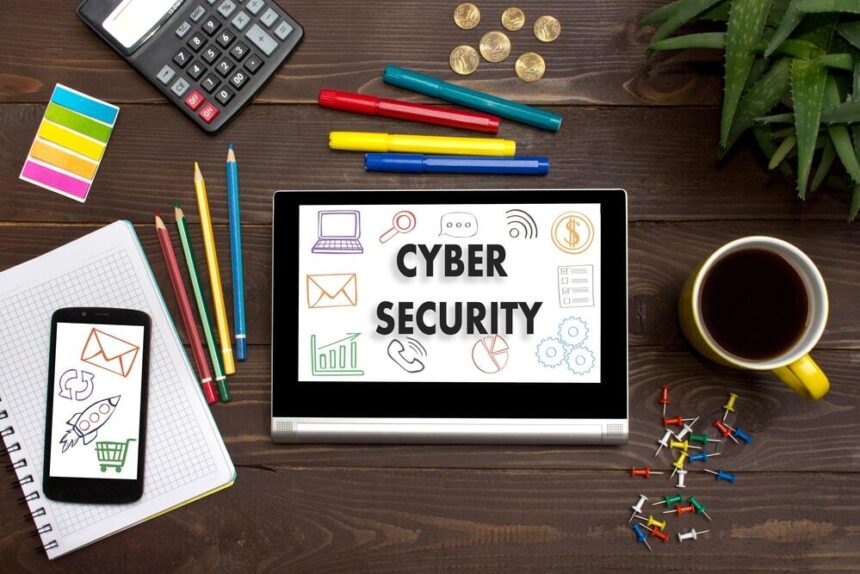
If you’re a business owner, you’ve probably looked at various cybersecurity tools. There are a number of different types of tools out there—everything from antivirus and anti-malware to network detection and firewalls. With so many programs, you may assume that you don’t need to make use of them all. Leveraging all of these tools will require you to allocate sufficient resources to your IT department, perhaps more resources than you would like. However, there are a number of reasons why you need to leverage these tools, especially in today’s day and age.
These five tools are great for protecting smaller businesses, and many will not have a major impact on your budget, either.
1. Make Use of Secure Hardware
While everyone focused on protecting data and securing their cloud storage, many forget to also make sure their office hardware is secure. If there are hundreds of employees in an office, it can be easy for someone to walk out with a company laptop, flash drive, or other piece of hardware that contains sensitive information. Once it’s out of the office, you have no control over what happens to that hardware. Employees may use it to connect to an unsecured internet connection or transfer files from an infected computer onto the flash drive.
To protect against this, you first need to have policies in place for who can take hardware out of the office and when it’s allowed. By having device use management policies in place, it’s harder for someone to simply walk out with any of your equipment.
More Read
2. Protect Your Email
There are a number of different cybersecurity tools designed to protect your email, and you need to be using them. While some email tracking programs are used by marketing teams in order to see how effective their email marketing plans are working, those same programs are often hijacked by hackers and used maliciously. These tools may not be able to deliver a virus into your network, but they can tell hackers a number of things about your emails and your emailing habits. This information can be useful, which is why it’s a good idea to have these tools in place to stop phishing and other email scams.
In addition to blocking this type of information, these tools can also block emails with suspicious attachments or that have untrusted links. This helps your employees avoid accidentally clicking on something that could be dangerous.
3. Prevent Ransomware
Ransomware has become an increasing concern among both business owners and individuals. This type of malware can lock a person out of their computer or encrypt their files. The malware claims that all the person has to do is transfer a set amount of money to the hacker and their files will be restored, but that doesn’t always happen. Unfortunately, each piece of ransomware is fairly unique, which makes it very difficult for existing tools to combat this type of attack. There are a number of other types of attacks that also rapidly change, making it hard to defend against them.
There are some ways of protecting against these new types of threats, though. You can use real time network security programs such as Snort to monitor your network and detect when anyone has accessed it. This can help you identify hackers who have logged in using stolen credentials. Another thing you can do is to use a free ransomware decrypt tool. This tool can often decrypt the files that the ransomware is trying to hold hostage, allowing you to instantly get back into your files.
4. Use an SSL Certificate for Your Website
An SSL certificate states that the web page you’re on uses encryption to protect any login information or other data entered. However, most companies only use this certificate on the login page or on customer shopping carts. Few use it to encrypt all messages being sent between the user’s computer and the web server.
Instead of limiting the number of pages you use SSL certificates are, you should consider transitioning to Always on SSL. This policy protects your entire website rather than just the pages that require the user to submit information. This will protect all of the information your web server sends to the user. It also helps secure some of the vulnerabilities that open up when visitors move between pages that are secure and those that aren’t.
5. Educate Your Employees
Your employees can accidentally allow hackers and viruses into your network by doing something that seems very innocent. Opening an email attachment, licking a link, or entering information into a fake phishing website can throw the doors to your network wide open to attack. To combat existing and emerging threats, you’ve got to train your employees so that they can recognize these potential attacks and know how to deal with them. It doesn’t matter how large your business is—an employee can fall for a scam in a company of three just as likely as they can in a company of 3,000.
The best way of training your employees is to start with a basic cyber-security training session when an employee is first hired. Then all employees should attend refresher courses throughout the year. The IT team should send out email announcements whenever new security concerns or issues arise.
Do What You Can
While implementing all five of these different cybersecurity tools is obviously your best bet, you may not be able to do all of them right away. In that case, implement as many of them as you can. You might not be able to protect your network from all potential attacks, but protecting against some of them will help. Put all the safeguards you can around your sensitive data, but always be smart about it. Throwing security measures out there and hoping something sticks is not the best plan. Instead, you need to carefully research how the different tools work together so that you implement ones that create a unified shield around your network.