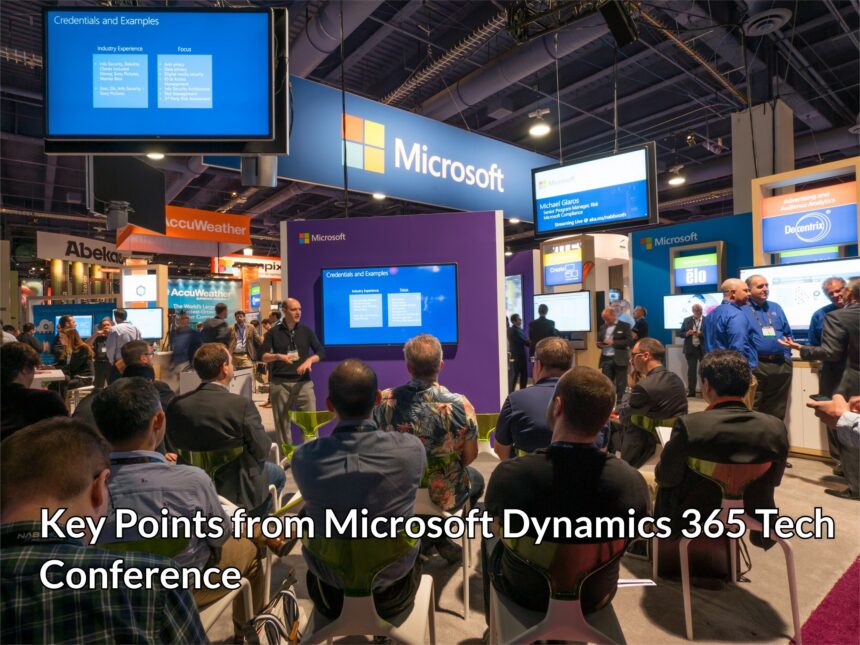
The Microsoft Dynamics 365 Technical Conference that took place in March this year was one of the must-attend events of the year. The event was attended by partners, customers and Microsoft staff. Combining both, CRM and ERP, Dynamics 365 has been one of the most popular software in the Microsoft stable.
It was a lively conference with 168 sessions on various parameters regarding the Dynamics 365. As expected the conference had a number of important announcements. If you missed out on the event, fear not. Here are some of our key takeaways from the Microsoft Dynamics 365 Technical Conference:
Life Cycle Services
One of the oft-repeated topics was Life Cycle Services or LCS. The Microsoft Azure-based collaboration is meant to manage the lifecycle of apps. The emphasis now is to create a standardized, predictable and repeatable implementation. It provides a collaborative workspace, which can be used separately or with partners.
The LCS is included with your AX licensing. The portal, which already had a number of impressive features, has been recently beefed up significantly. Recent updates include SQL Now, a more relevant alert system and compatibility of AX 2012 with Azure ARM subscription. It will also be deployed for management of local business data.
You can check the portal at lcs.dynamics.com.
Common Data Services
Ever since Dynamics 365 was released last year, the Common Data Services or CDS has been its most awaited feature, seen as the ultimate troubleshooter. At the tech conference it is clear that this is basically a database, but with some interesting touches! So, now we have a really easy user interface, integration and excellent management skills. Luckily, it is easy to install and use. Its essential function is to integrate different Dynamics databases, including the CRM and ERP functions. It facilitates the use of PowerApps, which can be created and deployed by the user without much trouble.
In short, the CDS will now be a focal point in your data, working with CRM, ERP and other MS services. It will have considerable scope for customization with MS only providing a basic model, which can be further extended according to requirement. It has also simplified and streamlined app creation and management.
Dynamics 365 Deployment
The talk on deployment of Dynamics 365 centered around the cloud. The cloud-based Dynamics 365 has always been a somewhat hot topic as some people were concerned about a cloud only ERP system. The cloud has already been implemented by a number of users and now this component is further refined. Microsoft announced three deployment scenarios: Cloud only, Cloud + edge and local business data.
Cloud: The cloud is easy to install, use and best of all, its updates will be fully automated. It will have a smoother integration with PowerApps, Power BI, and CDS.
Cloud + edge: Previously known as the Dynamics 365 hybrid model, here one has the option of cloud transaction with partial on-premise (now known as edge) deployment. This is ideal for people concerned with cloud security, giving them an option of working outside the cloud. It also allows for on-premise business activity, such as in retail. Edges or local data centre, can be set up at site for up to 16 hours.
Local business data: This is the on-premise option. But you do need the LCS connectivity. But Microsoft warned that this option would affect the crowd functionality of CDS. You can, of course, switch to cloud at a later date.
More mobility
Microsoft’s commitment to mobile first continued with its apps, including PowerApps, PowerBI, and Flow. All there are intrinsic part of the CDS and essential for the Dynamic 365 integration. But, apps have been part of the Dynamic since the beginning. So, what’s new now?
The exciting news at the conference was cross-platform compatibility of the apps. The apps are designed for Windows, Android as well as iOS. So, you can download it from any of these platforms! The app features are also taking Dynamics to the next level of mobility. Under Microsoft Dynamics AX company for operations we now have 5 workspace, better functionality and an open source code!
Upgrading
The big question with all the new features now was about the upgrading. For the 2009 version, upgrading will be a simple migration. You can choose the elements you want to migrate, even go for a staggered migration. There could be some limitations due to the functionality difference in the 2009 and 2012 versions. For pre-2009 models, upgrading will follow the rules for the 2009 version.
The 2012 upgrade is, however, must more efficient and complete. An upgrading tool named Upgrade Analyzer will help you analyze, and validate the data that is to be upgraded. But here’s its coolest feature: You can run the analyzer on your model store to gauge how easy or difficult the upgrade will be!