We use cookies, including third-party cookies from Google to serve personalized ads through AdSense, to operate this site and understand how it is used. By continuing to browse, you accept this use. See our Privacy Policy and Terms of Use for details, including how to opt out of personalized advertising.
Accept
SmartData CollectiveSmartData Collective
  • Analytics
    AnalyticsShow More
    chatgpt image jul 21, 2026, 04 34 30 pm
    4 Core Benefits of Predictive Maintenance after Vibration Analysis
    10 Min Read
    How Does Data Mining Boost Customer Satisfaction in Logistics? Harnessing Analytics for Results -- AI-generated illustration
    How Does Data Mining Boost Customer Satisfaction in Logistics? Harnessing Analytics for Results
    11 Min Read
    chatgpt image jul 13, 2026, 04 23 45 pm
    How Data Analytics Helps Companies Improve User Engagement
    19 Min Read
    chatgpt image jul 13, 2026, 03 59 46 pm
    How Data Analytics Improves Multi-Location Search Strategies
    10 Min Read
    cybersecurity efforts
    How Behavioral Analytics and AI Are Redefining Cybersecurity for Boca Raton Businesses
    14 Min Read
  • Big Data
  • BI
  • Exclusive
  • IT
  • Marketing
  • Software
Search
© 2008-25 SmartData Collective. All Rights Reserved.
Reading: Creating Beautiful Maps with R
Share
Notification
Font ResizerAa
SmartData CollectiveSmartData Collective
Font ResizerAa
Search
  • About
  • Help
  • Privacy
Follow US
© 2008-23 SmartData Collective. All Rights Reserved.
SmartData Collective > Analytics > Modeling > Creating Beautiful Maps with R
ModelingR Programming Language

Creating Beautiful Maps with R

DavidMSmith
DavidMSmith
3 Min Read
Creating Beautiful Maps with R
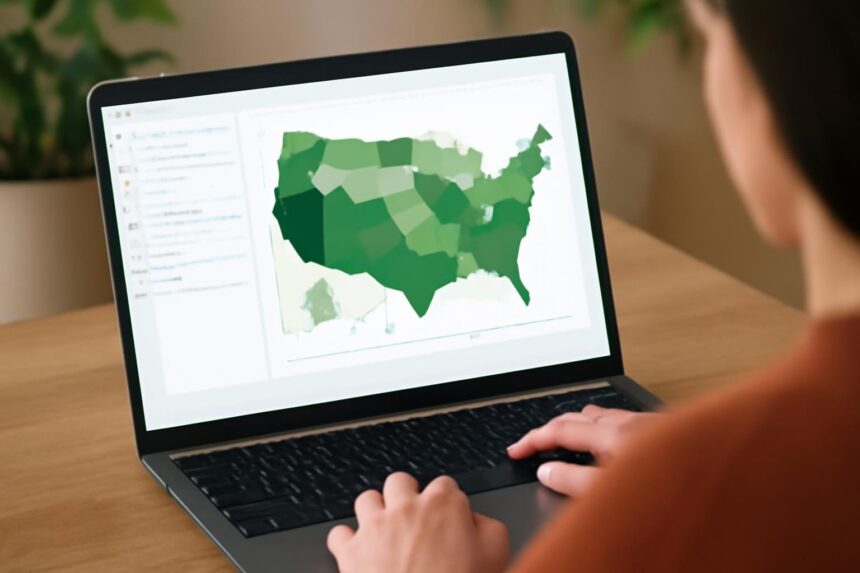
Illustrative image generated with OpenAI gpt-image-1.
SHARE

Spanish R user and solar energy lecturer Oscar Perpiñán Lamigueiro has written a detailed three-part guide to creating beautiful maps and choropleths (maps color-coded with regional data) using the R language. Motivated by the desire to recreate this graphic from the New York Times, Oscar describes how he creates similar high-quality maps using R.

NYT immigration explorer

In Part 1, Oscar grabbed some voting data from Spanish elections and shapefiles (detailed map coordinates) from Spain’s Official Statistics department (INE) and set to work in R. He then used the maptools package and lattice graphics to create this choropleth of voting patterns in Spain:

More Read

Population health management with RevoScaleR
How to Access 100M Time Series in R in Under 60 Seconds
Mixed-Effects Models in R with Quantum Forest
Impressions of SAP HANA
Predictive Analytics in Action: Anthony Goldbloom of Kaggle

Part1
In Part 2, he uses the raster package to import pixel-based environmental data from NASA, to create a map that combines population density, land use and land cover in a single map. (Personally, I find it very difficult to interpret such multivariate maps encoded in multiple dimensions of color, but the process is interesting.)

Pop_landclass

Finally in Part 3, Oscar uses the pxR package to read map data in the PC-Axis format, and the gridSVG package to create an interactive SVG map. If you have a modern browser, you can click the image below, and then annotations will appear as move your mouse over the regions. [Updated: as Oscar explains in the blog, the annotiations require Javascript to work, so I’ve changed the image below to link to Oscar’s annotated version.]

Map with annotations
With these examples, you can see how you can get close to the types of maps featured in the New York Times (which, themselves, often involve R in their production). You can find the data and R code used to create these maps at Oscar’s blog linked below.

Omnia sunt Communia!: Maps with R (III)

Share This Article
Facebook Pinterest LinkedIn
Share

Follow us on Facebook

Latest News

Illustration of mobile analytics dashboards with ad performance charts connected to backend databases
11 Best Sisense Alternatives for Embedded Analytics
Business Intelligence Exclusive
Analyst points at colorful circular data dashboard on screen - information technology business metrics
How Fragmented Workplace Tech Undermines Reliable Business Metrics and Reporting
Cloud Computing Exclusive Infographic IT
Using Multi-Source Data and Analytics to Detect Operational Drift Across Franchise Networks -- AI-generated illustration
Using Multi-Source Data and Analytics to Detect Operational Drift Across Franchise Networks
Exclusive Infographic
Beyond The First Impression: The Long-Lasting Impact Of Sensory Marketing -- AI-generated illustration
Beyond The First Impression: The Long-Lasting Impact Of Sensory Marketing
Infographic Marketing

Stay Connected

1.2KFollowersLike
33.7KFollowersFollow
222FollowersPin

You Might also Like

The Science of Crisis Communication
Data MiningModelingPredictive AnalyticsText Analytics

The Science of Crisis Communication

7 Min Read
After 31 Years of Spreadsheets, It’s Time to Move On
AnalyticsBig DataCloud ComputingModelingSoftwareWorkforce Data

After 31 Years of Spreadsheets, It’s Time to Move On

7 Min Read
R Script Tracks Bookies' Favorites for the Next Pope
AnalyticsData VisualizationModelingNewsR Programming Language

R Script Tracks Bookies’ Favorites for the Next Pope

1 Min Read
5 Unbelievable Ways You Can Be a Better Data Scientist in Business
Modeling

5 Unbelievable Ways You Can Be a Better Data Scientist in Business

7 Min Read

SmartData Collective is one of the largest & trusted community covering technical content about Big Data, BI, Cloud, Analytics, Artificial Intelligence, IoT & more.

How To Get An Award Winning Giveaway Bot
Big Data Chatbots Exclusive
Chatbots and SEO: How Can Chatbots Improve Your SEO Ranking?
Artificial Intelligence Chatbots Exclusive

Quick Link

  • About
  • Contact
  • Privacy
Follow US
© 2008-26 SmartData Collective. All Rights Reserved.
Welcome Back!

Sign in to your account

Username or Email Address
Password

Lost your password?