Cookies help us display personalized product recommendations and ensure you have great shopping experience.

By using this site, you agree to the Privacy Policy and Terms of Use.
Accept
SmartData CollectiveSmartData Collective
  • Analytics
    AnalyticsShow More
    How a Specialized Marketing VA Improves Campaign Analytics
    How a Specialized Marketing VA Improves Campaign Analytics
    11 Min Read
    New Data Analytics Breakthroughs Give eCommerce Startups a Fighting Chance
    New Data Analytics Breakthroughs Give eCommerce Startups a Fighting Chance
    6 Min Read
    How Data Analytics Is Reshaping Patient Financing Decisions
    How Data Analytics Is Reshaping Patient Financing Decisions
    13 Min Read
    business using business intelligence
    How to Use a Competitive Intelligence Dashboard to Turn Market Data Into Smarter Marketing Decisions 
    9 Min Read
    unusual trading activity
    Signal Or Noise? A Decision Tree For Evaluating Unusual Trading Activity
    3 Min Read
  • Big Data
  • BI
  • Exclusive
  • IT
  • Marketing
  • Software
Search
© 2008-25 SmartData Collective. All Rights Reserved.
Reading: Google: News Timeline
Share
Notification
Font ResizerAa
SmartData CollectiveSmartData Collective
Font ResizerAa
Search
  • About
  • Help
  • Privacy
Follow US
© 2008-23 SmartData Collective. All Rights Reserved.
SmartData Collective > Uncategorized > Google: News Timeline
Uncategorized

Google: News Timeline

Daniel Tunkelang
Daniel Tunkelang
5 Min Read
SHARE

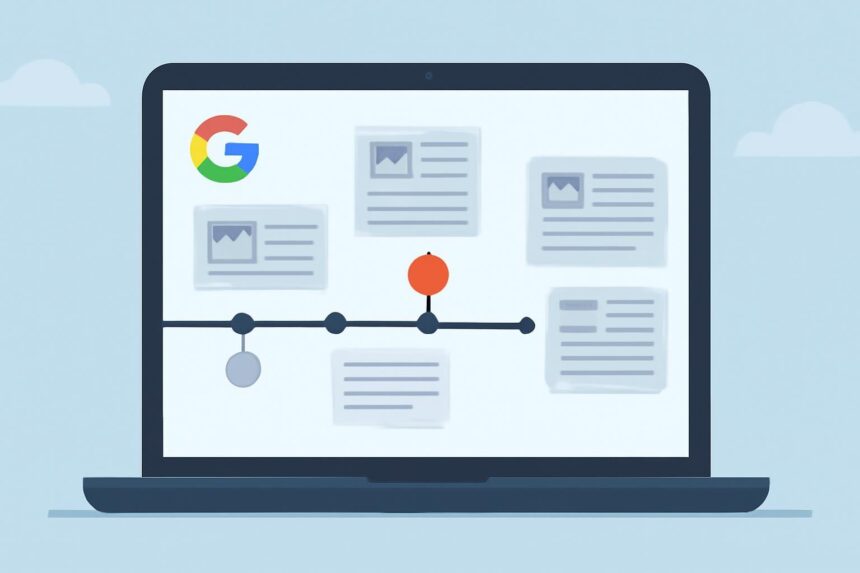
The other day, when I was blogging about Google’s news cluster timelines, I lamented their lack of a unified approach towards visualizing news over time. Their launch of Google News Timeline thus gives mixed feelings: it’s a cool interface, but it still doesn’t unify their approach to this space.

First, the good: the interface is aesthetic and responsive. It works very nicely on structured data (like music releases), and strikes me as a nice incremental improvement on the applications I’ve seen that use David Huynh’s SIMILE Timeline widget. It also lets you make queries based on a variety of data sources:

News Sources : News results (including article snippets, images and videos) from the past 30 days or so are from Google News. Older news results are from Google News Archive Search.

Magazines and Newspapers: You can search for magazines and newspapers that have been digitized and are available through Google News Archive Search and Google Book Search. Images of the front covers of these publications are displayed on the timeline, based on their original publication date.

Blogs: You can view blog post results on the timeline by selecting “Blogs&…

More Read

Proactive Data Governance and the Economic Crisis
Why Study and Learn?
Twelve Principles of DoD Cyber Conflict
Cut Costs, Improve Experiences & Retain Customers
BrightIdea and Planview, moving closer to an integrated social product development process

The other day, when I was blogging about Google’s news cluster timelines, I lamented their lack of a unified approach towards visualizing news over time. Their launch of Google News Timeline thus gives mixed feelings: it’s a cool interface, but it still doesn’t unify their approach to this space.

First, the good: the interface is aesthetic and responsive. It works very nicely on structured data (like music releases), and strikes me as a nice incremental improvement on the applications I’ve seen that use David Huynh’s SIMILE Timeline widget. It also lets you make queries based on a variety of data sources:

News Sources : News results (including article snippets, images and videos) from the past 30 days or so are from Google News. Older news results are from Google News Archive Search.

Magazines and Newspapers: You can search for magazines and newspapers that have been digitized and are available through Google News Archive Search and Google Book Search. Images of the front covers of these publications are displayed on the timeline, based on their original publication date.

Blogs: You can view blog post results on the timeline by selecting “Blogs” from the data source menu and typing the name of the blog in the query field.

Baseball Scores:  Baseball scores from Retrosheet are displayed on the timeline by selecting “Sports Scores” from the menu bar and entering the name of a team.

Wikipedia Events, Births, and Deaths: You can add events, births, and deaths from Wikipedia by selecting “Wikipedia” from the menu bar and entering the category you’d like displayed on the timeline.

Media from Freebase:  You can view information from Freebase about various types of media, including books, music and movies. For example, you can display albums of a particular artist or movies featuring a specific actor.

This variety seems like an embarrassment of riches–and yet I can’t produce the timelines I (and I’d think many people) want. For example, I’d like a timeline of the acquisition activity around Sun–starting from the reports about a month ago of IBM planning to acquire Sun through today’s news that Oracle is to be the lucky suitor. I can find the relevant set of stories using Newssift, but no timeline visualization (at least not yet). Meanwhile, Google gives me a cool interface and lots of options for formulating queries, but not the flexibility I want to pick my set of documents.

I think it’s telling that the best timelines come from searching on structured data. Not only is this data cleaner, but the access to it is based on set retrieval, unlike the ranked retrieval pervasive on Google.com. Perhaps that’s what Google struggles to provide a unified approach: there’s a mismatch between their ranked retrieval algorithms and interfaces designed for set retrieval. Or maybe I just need to wait for a few more beta releases, and it will all come together.

Link to original post

Share This Article
Facebook Pinterest LinkedIn
Share

Follow us on Facebook

Latest News

The End of Unstructured Marketing: Forcing Generative AI into Strict HTML Schemas
Artificial Intelligence Exclusive
How a Specialized Marketing VA Improves Campaign Analytics
Analytics Exclusive
ai marketing tools
The 9 AI Tools Marketers Use to Create Images and Video in 2026
Artificial Intelligence Exclusive
ai chatbot
How AI Website Chatbots Improve Customer Support and Lead Generation
Chatbots Exclusive

Stay Connected

1.2KFollowersLike
33.7KFollowersFollow
222FollowersPin

You Might also Like

SIA: eMarketer’s Calendar

1 Min Read

New Website for ‘the architecture formerly known as SOA’

1 Min Read

Do You Think Social Media Will be Outsourced?

2 Min Read

Watson Analytics: The Data Scientist Accelerator

10 Min Read

SmartData Collective is one of the largest & trusted community covering technical content about Big Data, BI, Cloud, Analytics, Artificial Intelligence, IoT & more.

ai in ecommerce
Artificial Intelligence for eCommerce: A Closer Look
Artificial Intelligence
giveaway chatbots
How To Get An Award Winning Giveaway Bot
Big Data Chatbots Exclusive

Quick Link

  • About
  • Contact
  • Privacy
Follow US
© 2008-26 SmartData Collective. All Rights Reserved.
Welcome Back!

Sign in to your account

Username or Email Address
Password

Lost your password?